Taxes
Information on taxes for sole proprietors (JDG) in Poland.
Accounting for JDG: Legal Tax Level
PIT: Income Tax
Available personal income tax systems (PIT - Personal Income Tax) for JDG as of 2026:
Skala podatkowa (general tax)
This is the default tax available when registering a JDG and the only one available for employees (UoP). The rate is 12% for income from 30,000 to 120,000 PLN and 32% for everything above. Income up to 30,000 PLN is tax-free. This tax allows you to reduce taxable income through business-related expenses (laptop, monitor, accounting, software, etc.). It also allows filing a joint tax return with a spouse, which — if one spouse has no income — reduces taxable income thanks to an additional 30,000 PLN tax-free allowance.
Podatek liniowy (flat-rate proportional tax)
This was once (before ryczałt became popular) the most advantageous tax — a flat 19% regardless of income level — for those whose significant share of income fell into the 32% bracket of the general tax. The key advantage of podatek liniowy over ryczałt is the ability to deduct expenses from taxable income, just like with skala podatkowa. However, unlike the general tax, income up to 30,000 PLN is still taxed, and joint filing with a spouse is not available.
Ryczałt (lump-sum tax)
This is currently a very popular tax ranging from 2% to 17% depending on the type of JDG activity. For software developers — 12%. An important nuance of this tax is that expenses do not affect taxable income at all, meaning the tax is calculated solely on the basis of revenue received. Joint tax filing with a spouse is not available.
Key considerations when choosing a tax system:
- Expected annual income. Below a certain threshold, the general tax may be more beneficial than other options thanks to the tax-free allowance and the ability to deduct expenses.
- Social contribution amounts (ZUS) vary depending on the chosen tax system and annual income.
- The type of activity under ryczałt determines the tax rate. Notably, a single invoice can cover multiple activity types with different rates.
- Whether you plan to file a joint tax return with a spouse. For example, if one spouse has no income, the tax-free allowance effectively doubles.
- Significant business-related expenses that could substantially reduce taxable income.
- Having children eligible for a tax credit.
- Whether you plan to take out a mortgage. The available loan amount under ryczałt — even with high income — can be quite low at many banks, or the bank may not serve clients with this tax system at all.
- Other deductions that are only available for certain tax systems.
How to Find Your Tax Payment Account
To pay taxes and contributions in Poland, an individual account (mikrorachunek) is used. The taxpayer identifier can be either a NIP or PESEL. For sole proprietors, it is always the NIP!
You can generate an account for paying income tax PIT and value-added tax VAT:
- on the tax authority website using your NIP identifier;
- on the Urząd Skarbowy website in the taxpayer report section (look for Mikrorachunek podatkowy). In addition, you can check your tax payments there on the balances and settlements page — the data appears a few days after payment.
Tax Calculators
- https://www.podatki.wtf/
- https://ladnepodatki.pl/
- https://calculla.com/polish_net_gross_earnings_calculator
- https://zarobki.pracuj.pl/kalkulator-wynagrodzen
- https://jakipit.pl/
Podatek dochodowy Certificate of No Tax Arrears
You can order a certificate confirming no tax debts on the urzadskarbowy.gov.pl website. The certificate is free of charge and is issued very quickly, in a fully automated manner.
Go to urzadskarbowy.gov.pl. Log in to your online tax office account, for example via Profil zaufany, and then follow these steps:
- Step 1. You need to enable e-Correspondence, otherwise at the end of Step 8 you will encounter an unpleasant surprise — a loop with no way to proceed with the submission:
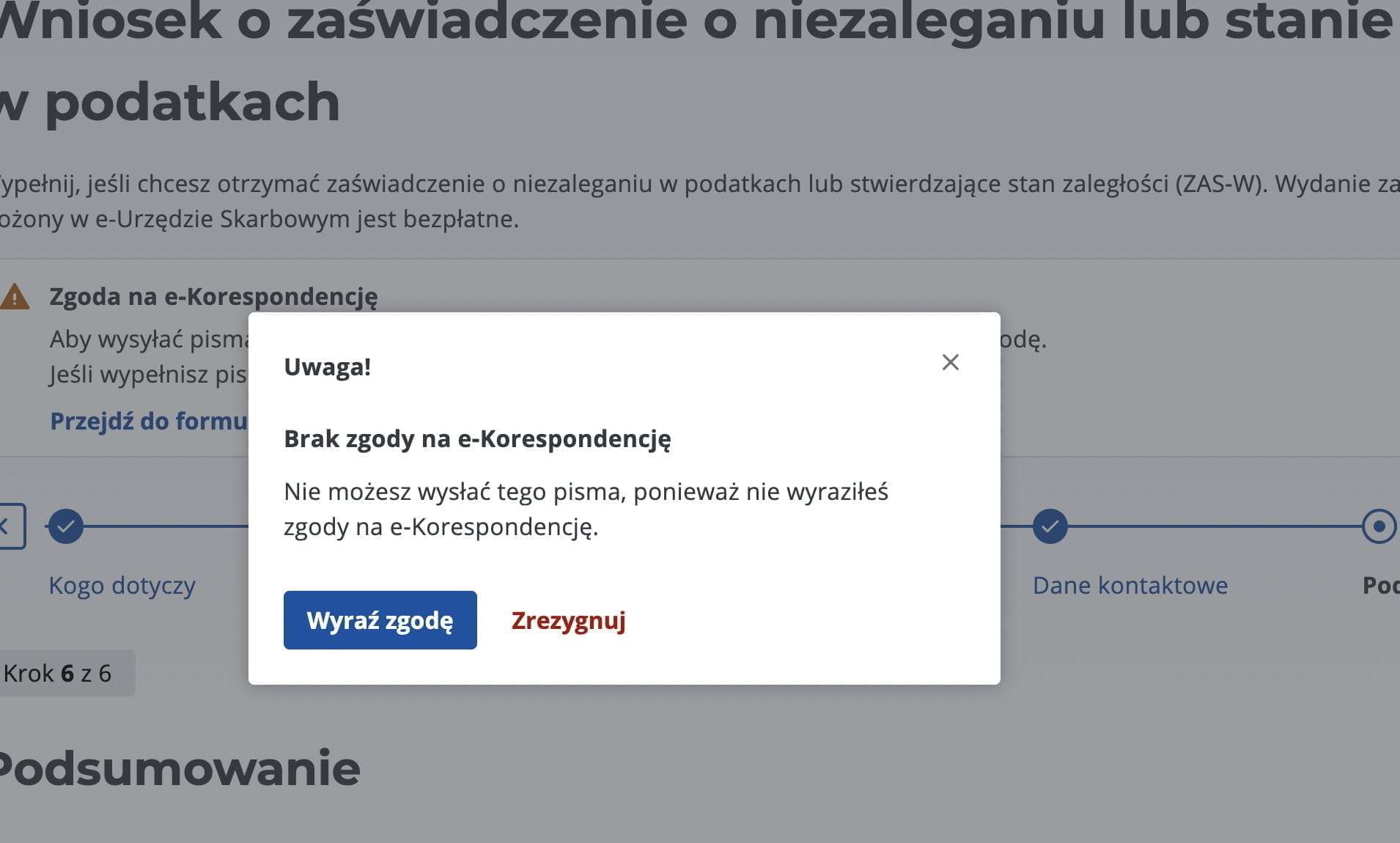
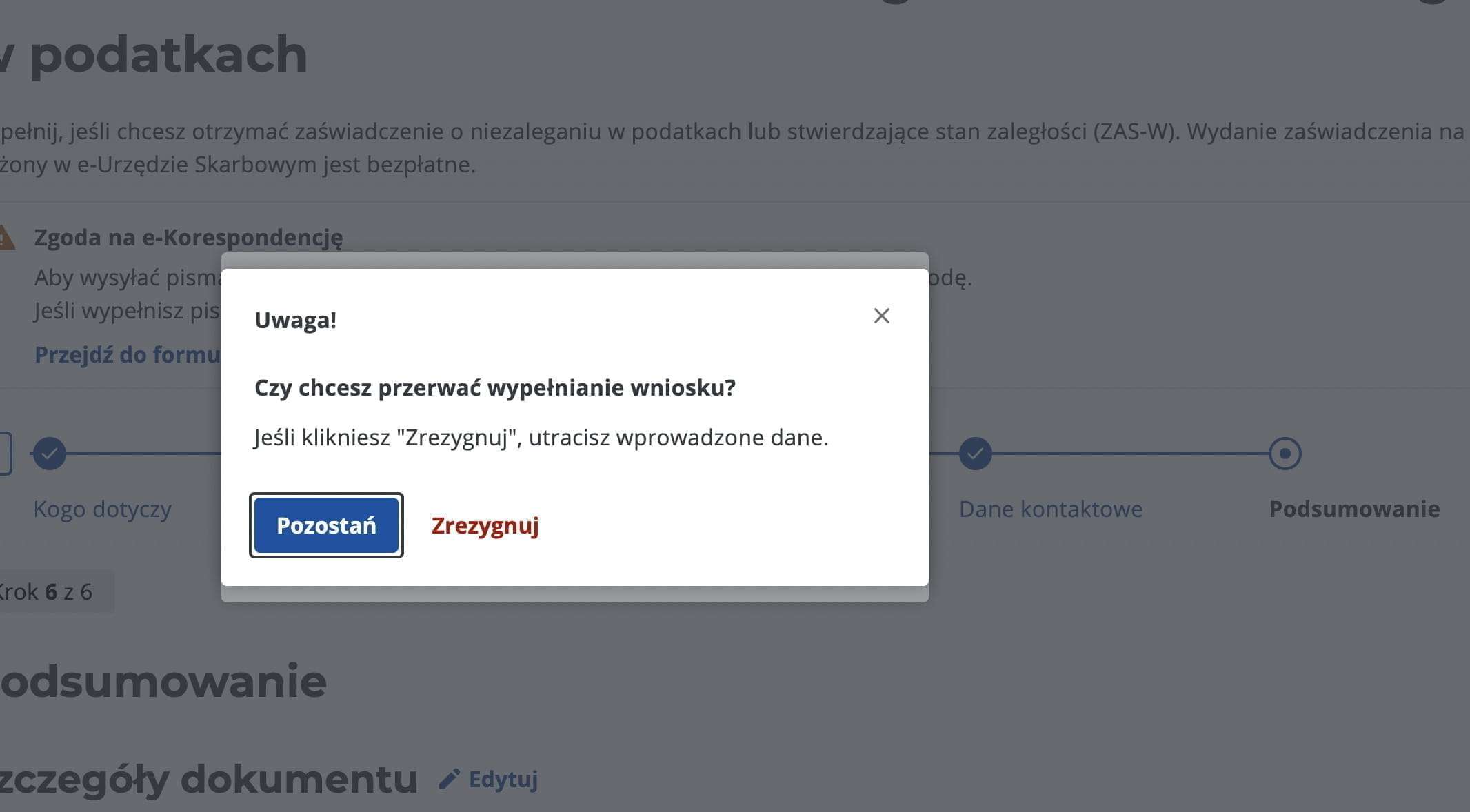 Go to
Go to Ustawienia>Zgody i powiadomieniaand link your email and/or phone number. - Step 2. In the side menu, select
Dokumenty>Złóż dokument. In the list of documents, findZaświadczenie o niezaleganiu lub stanie zaległości w podatkach.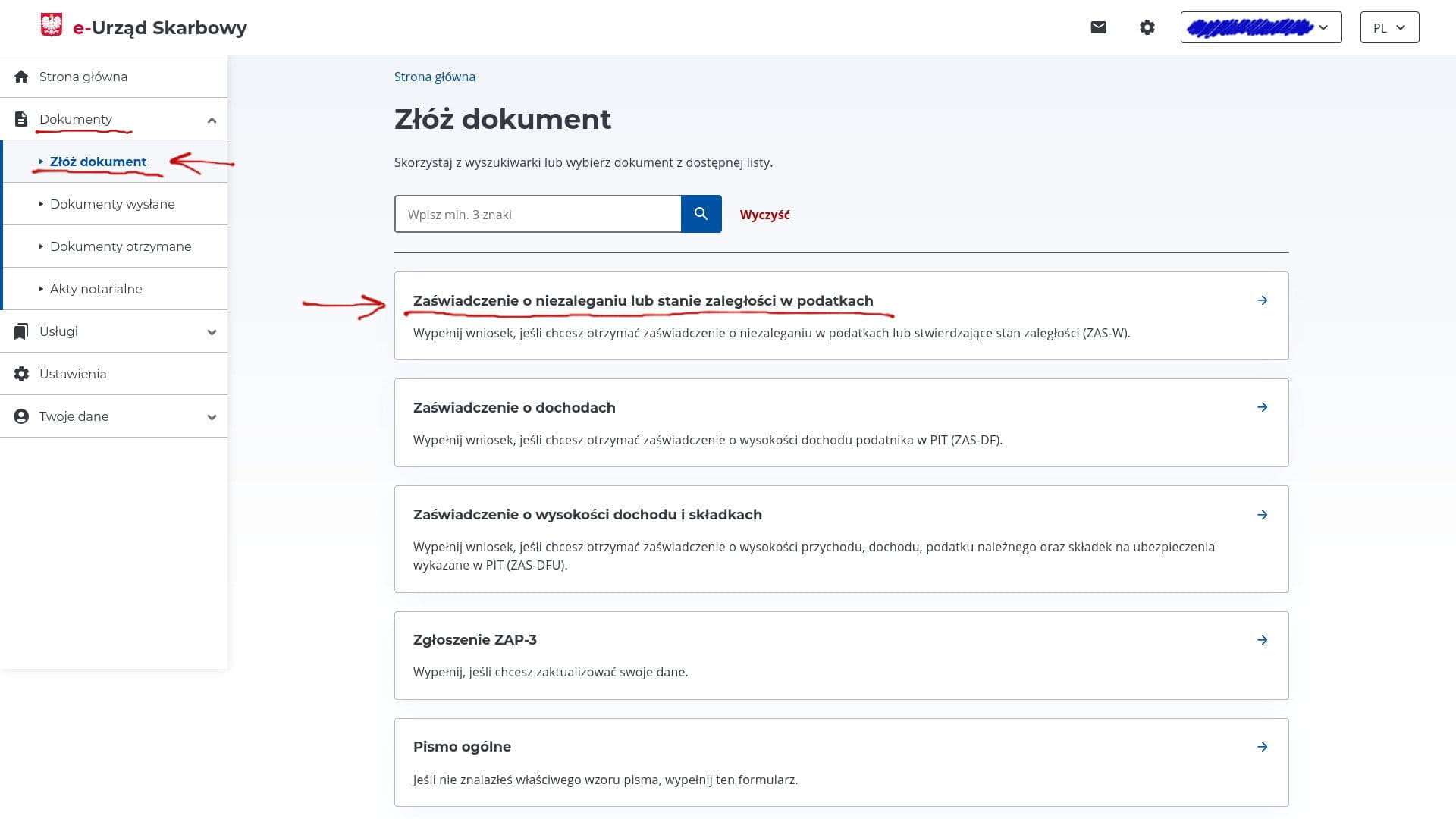
- Step 3. Select the certificate type —
o niezaleganiu w podatkach, i.e. a certificate confirming that you have no debts.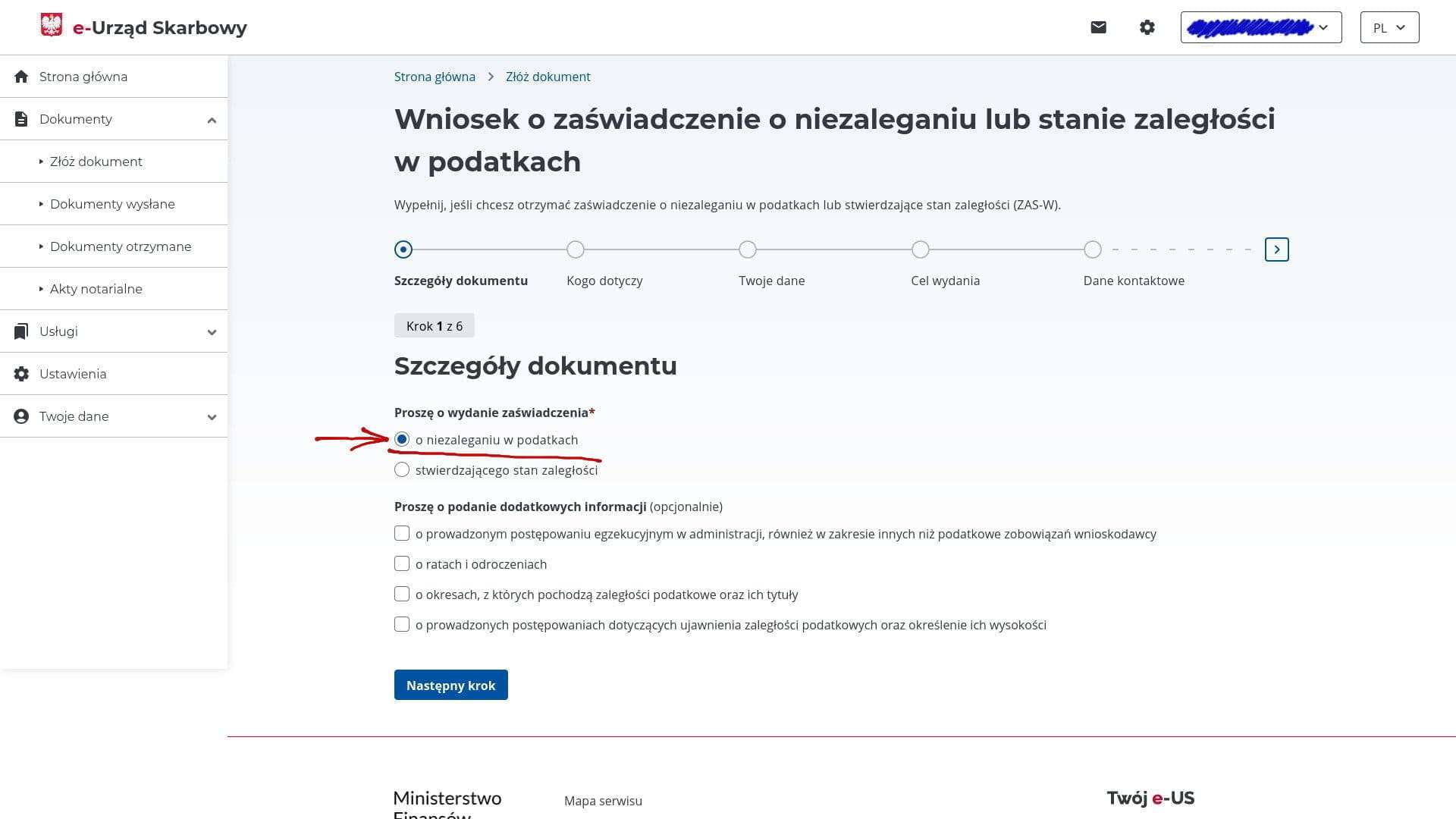
- Step 4. Select who the certificate is for —
za siebie, i.e. for yourself.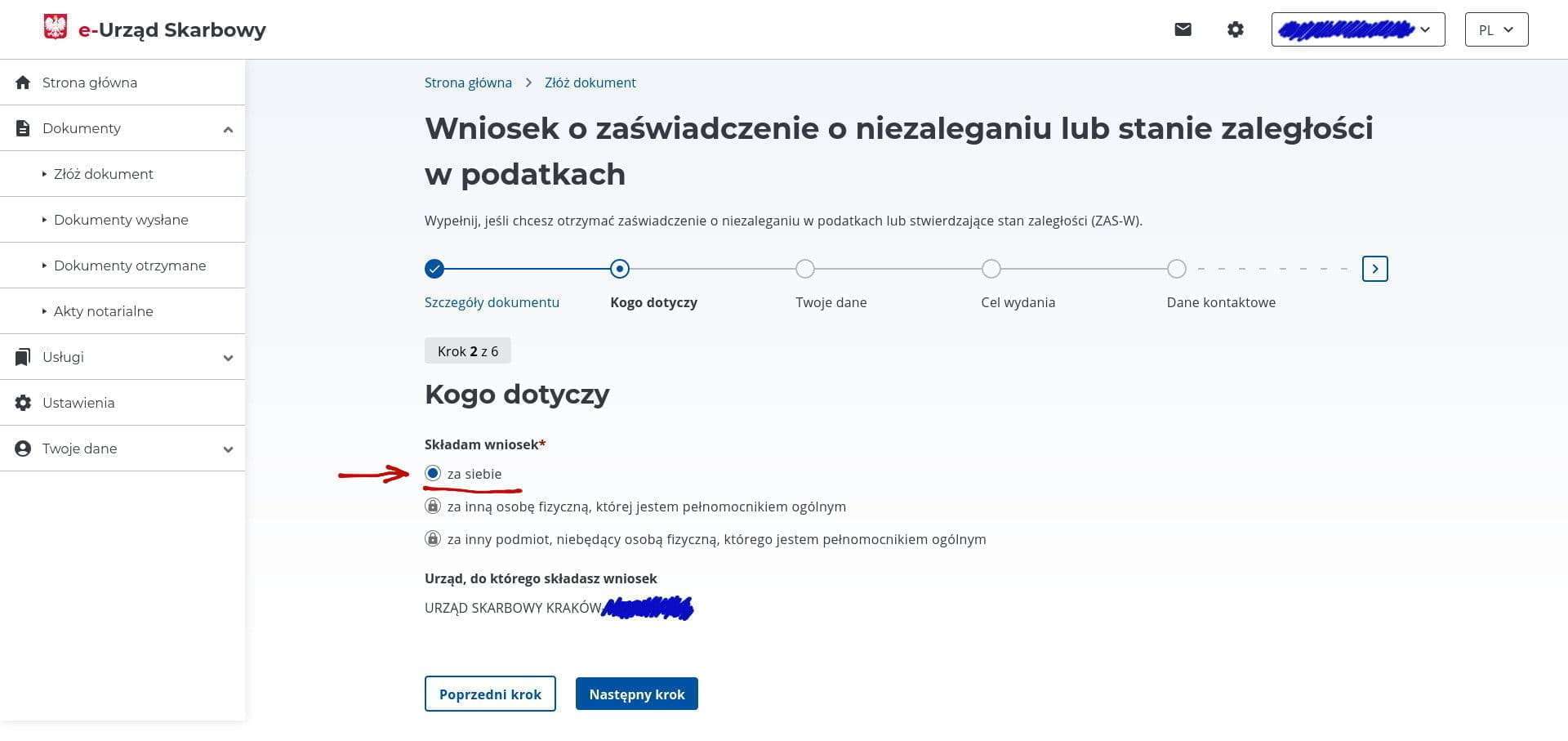
- Step 5. Choose which identifier will be printed on the certificate —
PESELif you need it as an individual, orNIPif you need it as a business entity. This changes one line on the certificate — Dane identyfikacyjne podatnika — to the selected option. The address details are filled in automatically from what you submitted to the tax office when registering your JDG.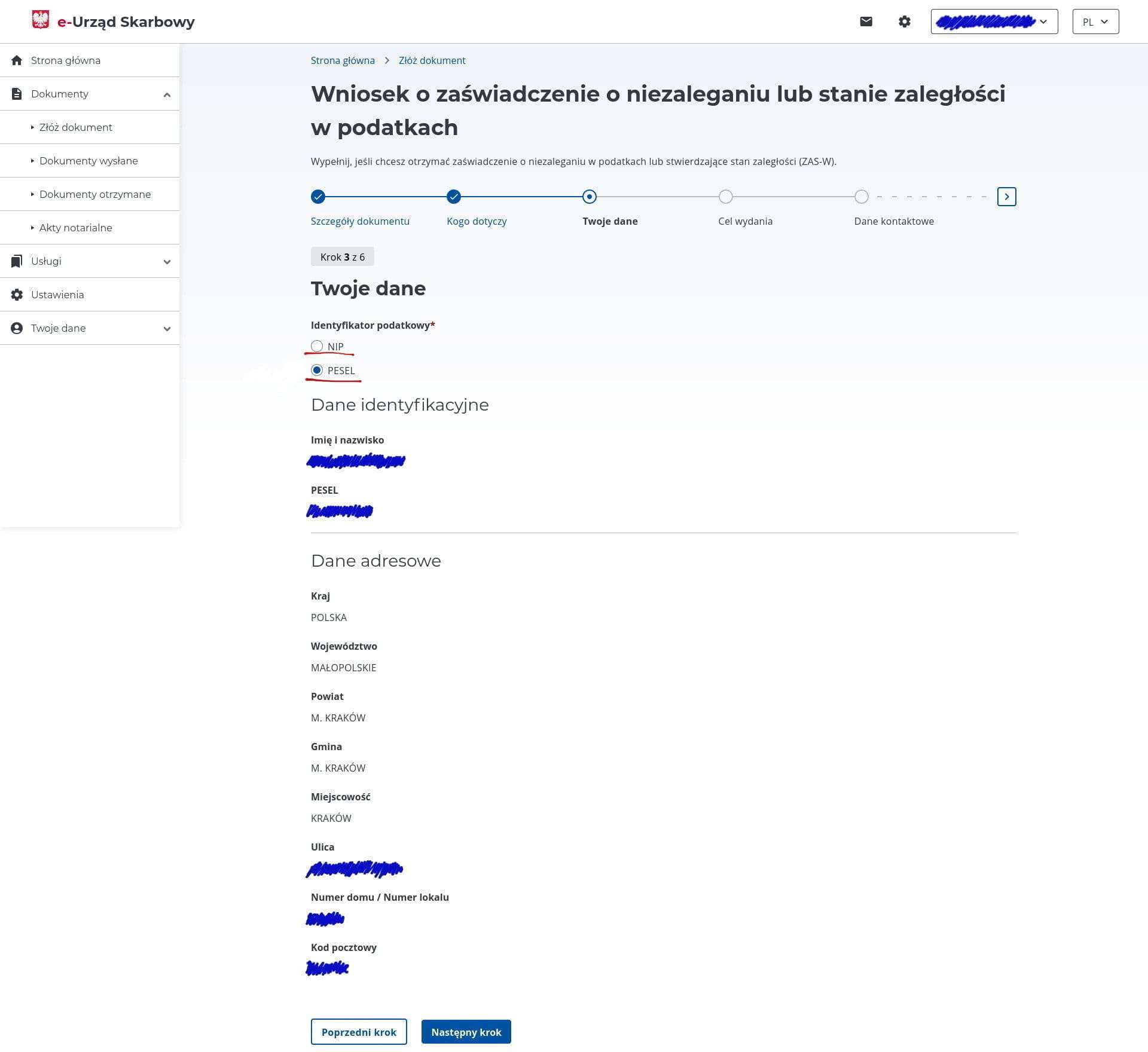
- Step 6. In a free-text field, write the purpose of the certificate, for example —
w celu uzyskania karty pobytu. You can see examples on the right by clickingWięcej. This does not appear to affect the final result.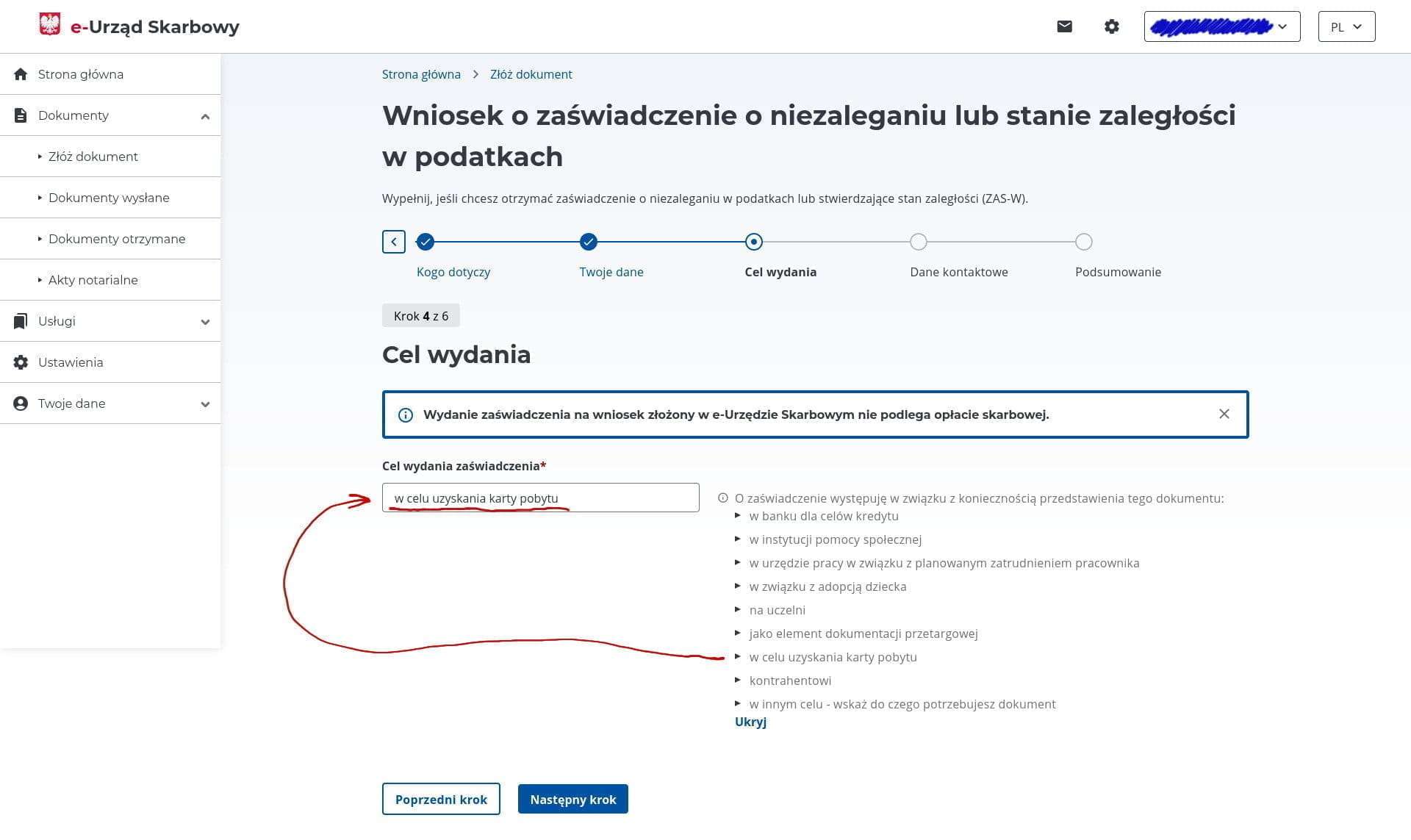
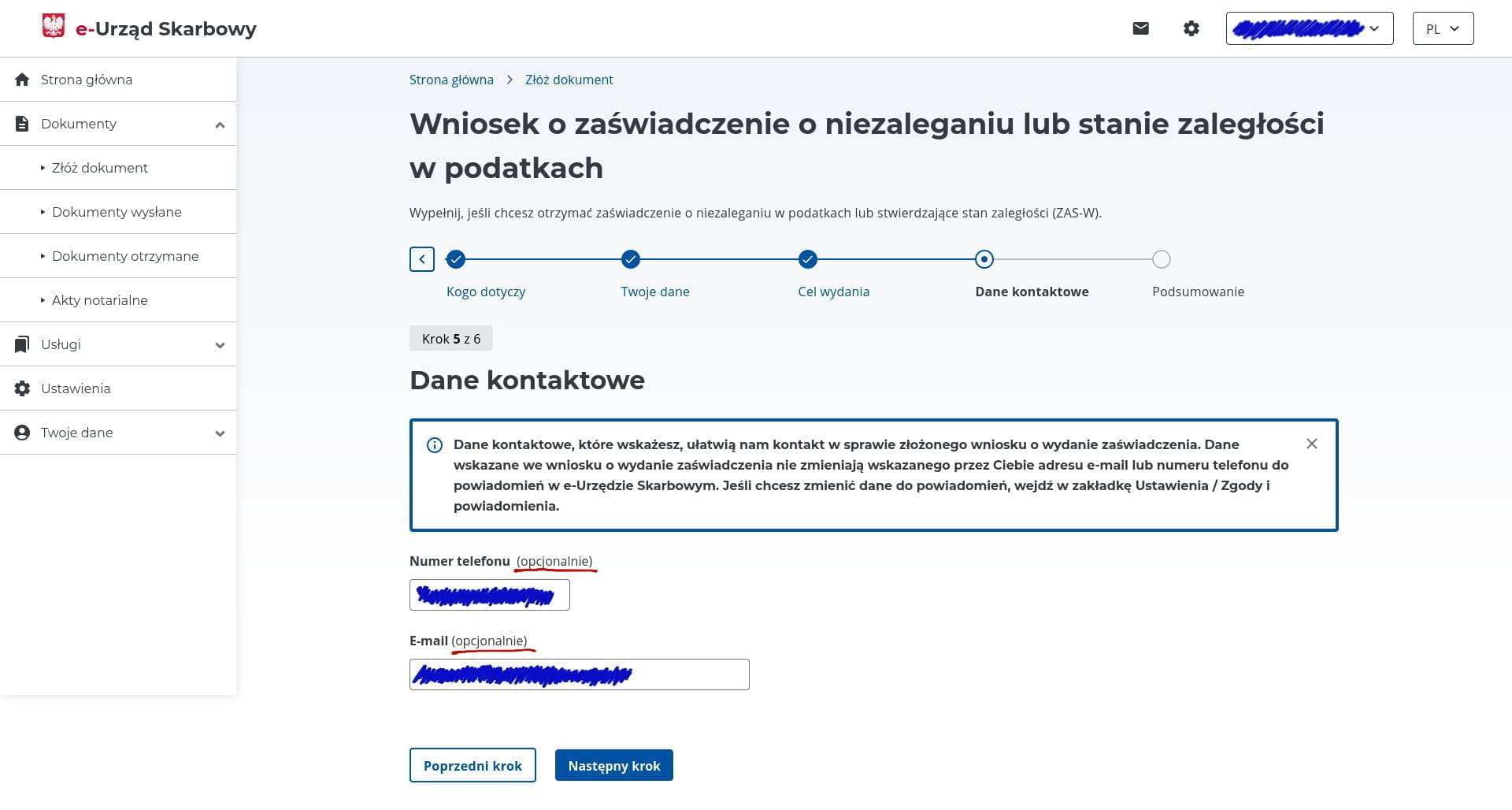
- Step 7. Optional, but you can leave your phone number and email for contact. This step also does not appear to affect the result.
- Step 8. Verify that all details are correct and click the
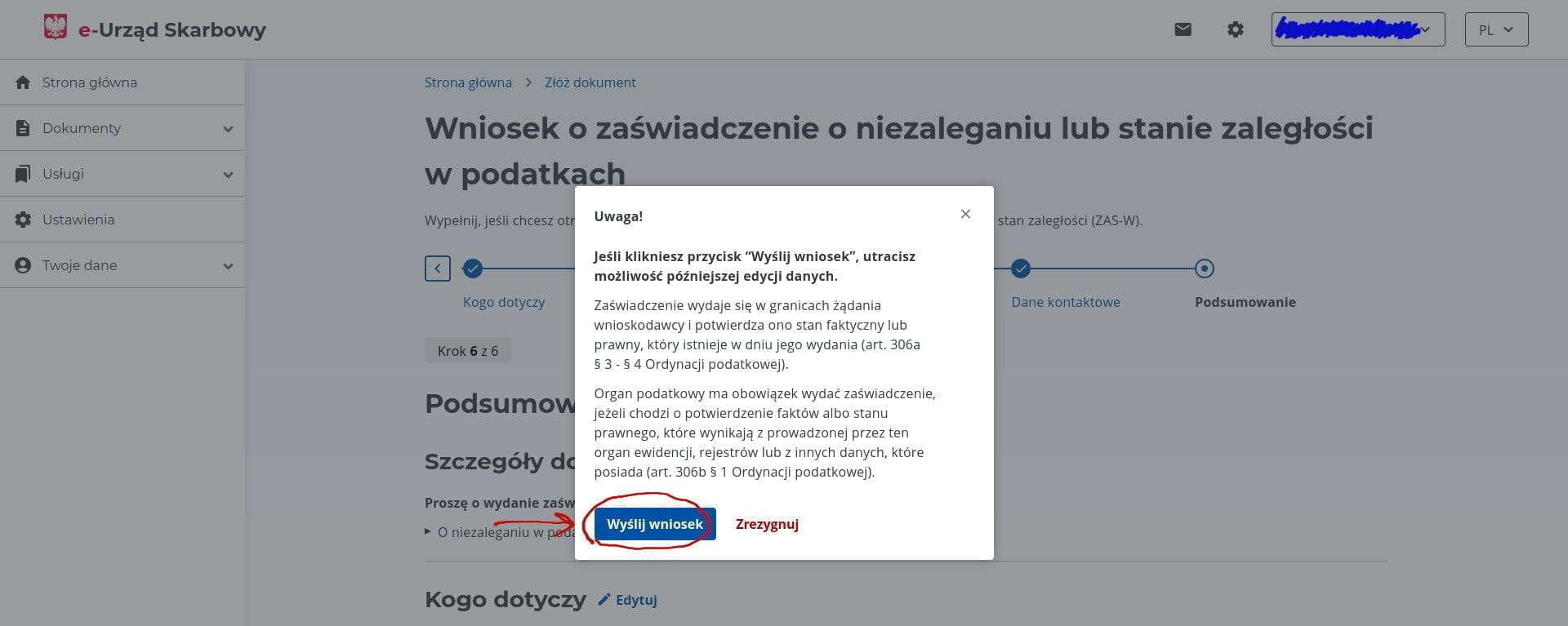
Akceptuj i wyślijbutton to submit. In the pop-up window, confirm once more by clickingWyślij wniosekto send the request.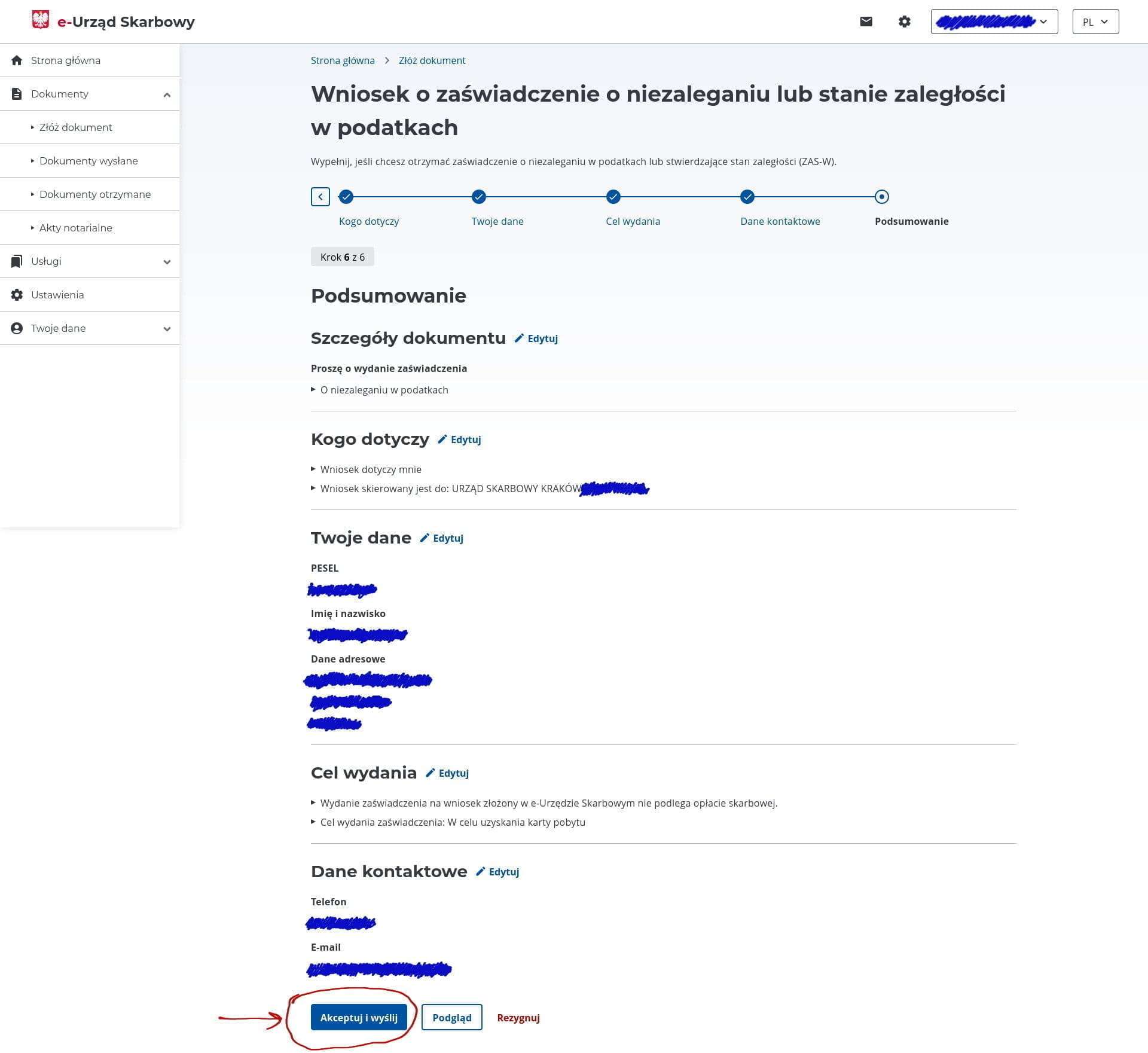
- Step 9. After submitting the request, a message will say that processing takes up to seven days. However, it appears to be fully automated, and the response arrives within a couple of minutes, even at night and on weekends. A notification about the ready certificate is sent to your email and also appears in your e-Urząd account. To download the certificate, select
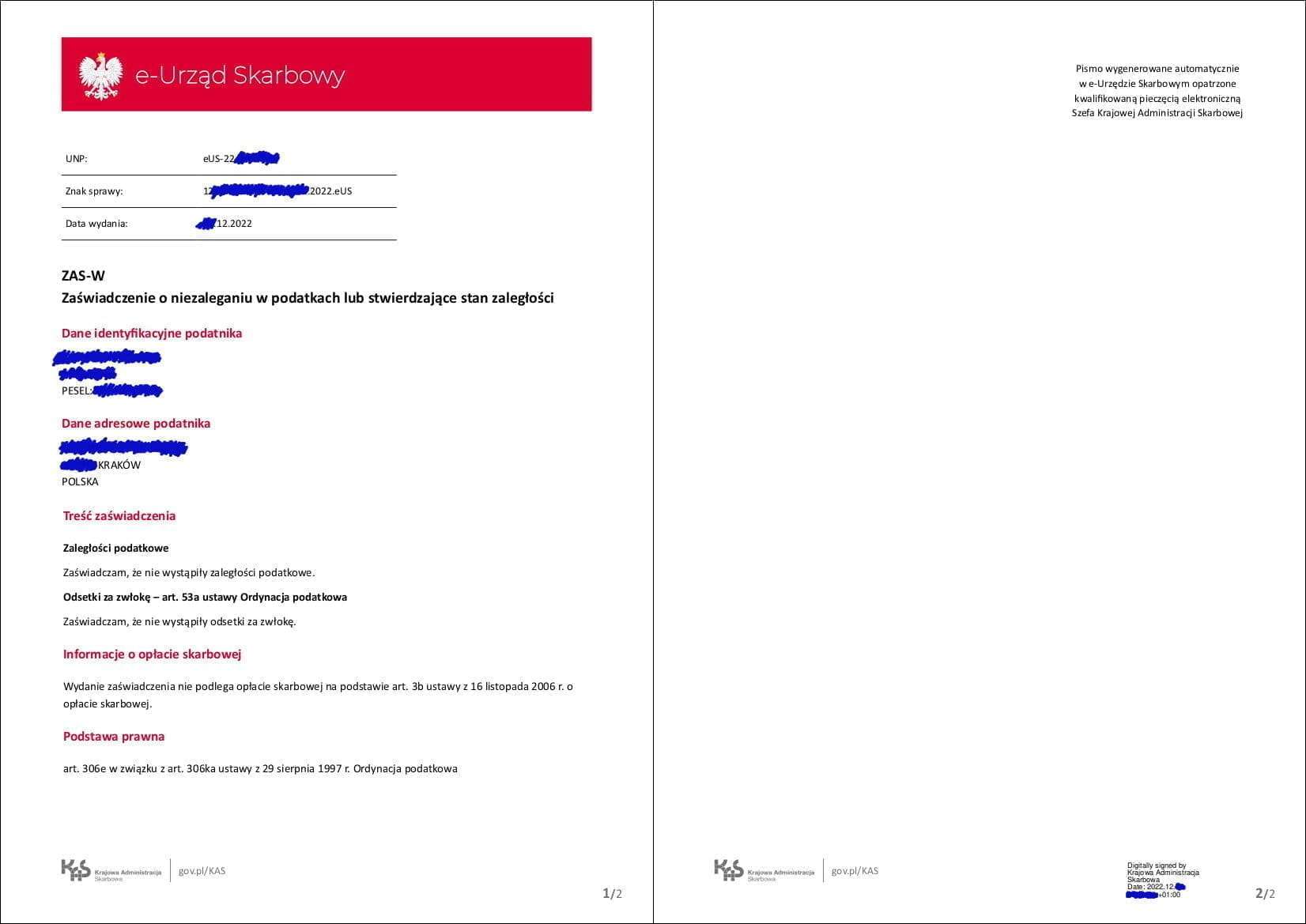
Dokumenty>Dokumenty otrzymanein the right-side menu. There you will see a list of all received documents — click theOdbierzbutton and download the PDF certificate. The certificate will be two pages long; below is an example of what it looks like.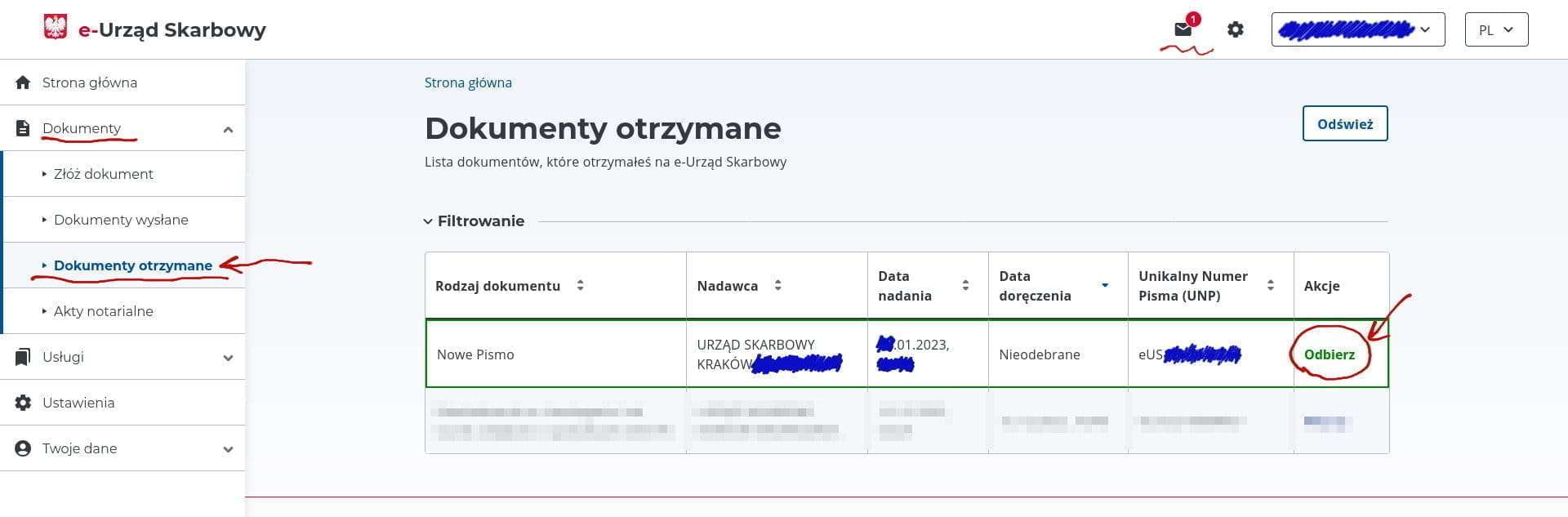
VAT
VAT (Value-added tax) — an indirect tax levied on most sales of goods and services. In simple terms, VAT is a surcharge on the price of goods. As a rule, a business does not pay it itself but passes it on to the end buyer.
For example, consider the simplest chain: Manufacturer -> Retailer -> Buyer
The Manufacturer sells goods to the Retailer for 1,000 PLN and pays 230 PLN in VAT to the state.
The Retailer sells the goods to the Buyer for 3,000 PLN and owes 690 PLN in VAT, but since 230 PLN was already paid to the Manufacturer, the Retailer offsets that amount and only needs to remit 460 PLN to the state — i.e., VAT is paid only on the added value of 2,000 PLN (3,000 - 1,000).
If the Retailer purchases goods from the Manufacturer for personal use and cannot offset the VAT, the Retailer can request a refund of the 230 PLN VAT paid to the Manufacturer from the state.
Domestic (Polish) VAT
You are required to register as a VAT payer in the following cases:
- Your taxable income (the total of all business income actually received into your account) exceeds 240,000 PLN/year (this limit applies since 2026; previously it was 200,000) and the company you work with is based in Poland (Polish clients). Once you exceed this threshold, you become a VAT payer regardless of future income levels.
- One of the PKD codes of your activity is consulting — 62.02.Z.
- You want to deduct VAT from business purchases (e.g., laptop, phone, furniture, and other items essential for your sole proprietorship).
How to verify registration?
You can do this on the tax authority website — this is the so-called white list (biała lista) of all VAT payers.
VAT notes
- VAT is 23%
- There is a dedicated VAT page on biznes.gov.pl.
- Starting from 2026, faktury are gradually being moved to the mandatory government system KSeF — from April 1, 2026, the obligation to issue e-faktury applies to virtually everyone, including those exempt from VAT.
VAT-EU
If you plan to work with EU countries, you must register as a VAT-EU payer. It is advisable to have a registered business address and permission for it before submitting the application. Export of services is not subject to VAT, so you do not add VAT to your invoice. Invoices must include the Reverse Charge notation.
Note: VAT is paid by the client in their own country according to their local rules. However, in the months when you issue invoices to these clients, you need to submit a VAT declaration as a report.
After registering in the VAT EU payer database (wniosek VAT-R), add the prefix PL to your NIP digits — this becomes your EU VAT number.
How to verify registration?
You can verify that your counterpart is a VAT-EU payer in the European Commission's VIES database.
VAT for Other Countries
Exports outside the EU are not subject to VAT, and no registration is required. On invoices, in the "VAT rate" field, enter np., and be sure to include the following comment:
Invoice comment
Reverse charge - VAT is charged to the buyer. Do rozliczenia podatku VAT zobowiązany jest nabywca usługi (odwrotne obciążenie).
FAQ
Also see the list of questions and answers in the FAQ section.
Support our guide with a cup of coffee ♥