Registering as a VAT-UE taxpayer
Why register for VAT-UE
If you plan to work with EU countries, you have to register as a VAT-EU taxpayer. No way around it.
Note
By this point you should already have NIP and REGON. Under the rules, the tax office has 30 days to process your registration.
Until they register you — you can't get paid!
0. What VAT-UE registration is actually for
After you send the application to the tax office, you may get a letter like this: "w związku ze złożeniem do tutejszego Urzędu Skarbowego złożenia druku rejestracyjnego VAT-R, proszę o przestawienie prawa do lokalu w którym jest wykonywana działalność gospodarcza." In reply you need to send the flat lease with permission to run a business, or the owner's permission on a separate sheet, or a contract with a virtual office. That said, people on Telegram say you can sort it out with the tax office without any extra statements...
Link to the portal where registration happens. We need the Zmień dane w CEIDG option.
1. Important information first
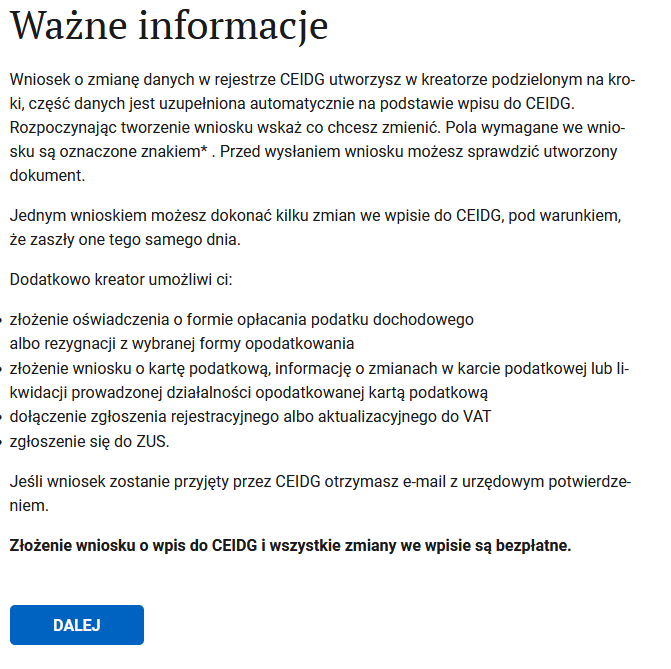
Read it, then hit DALEJ
2. Purpose of filing the form
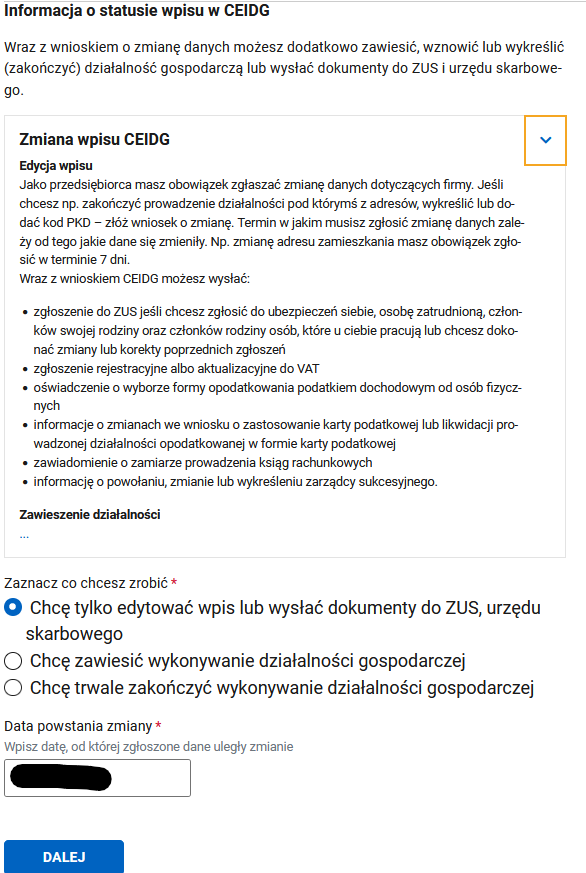
We only need to edit the data. The date can be today or in the past.
3. Pick what you want to change
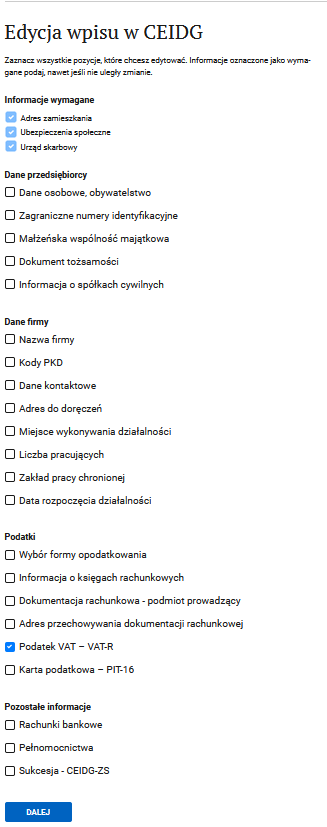
We care about VAT registration. The first three checkboxes are filled in automatically.
4. Foreigner's data
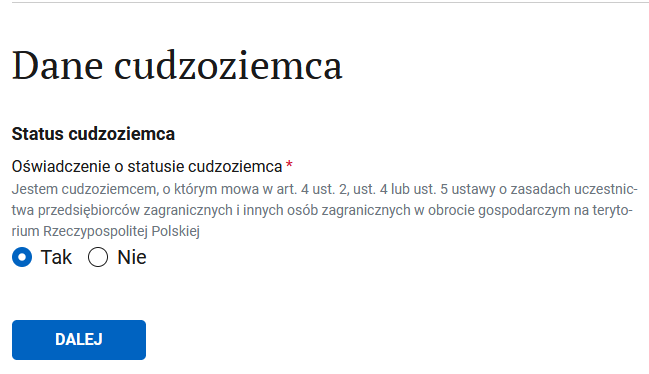
Confirm you're a foreigner who can run a business in Poland.
5. Residential address
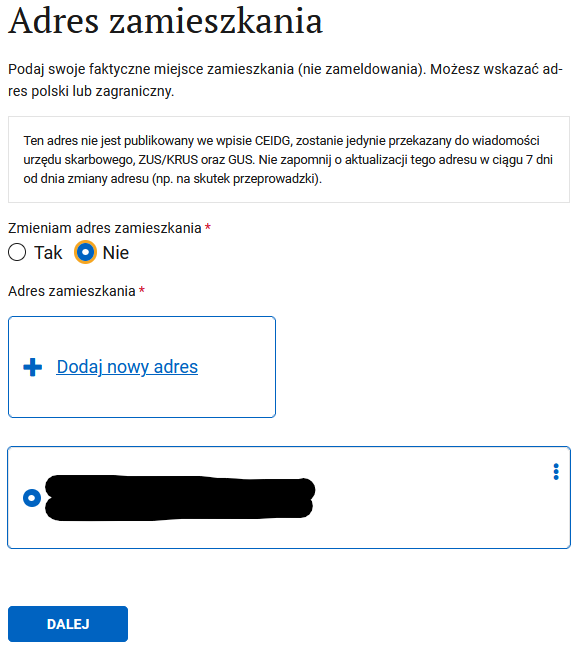
Change your residential address if needed.
6. Social insurance
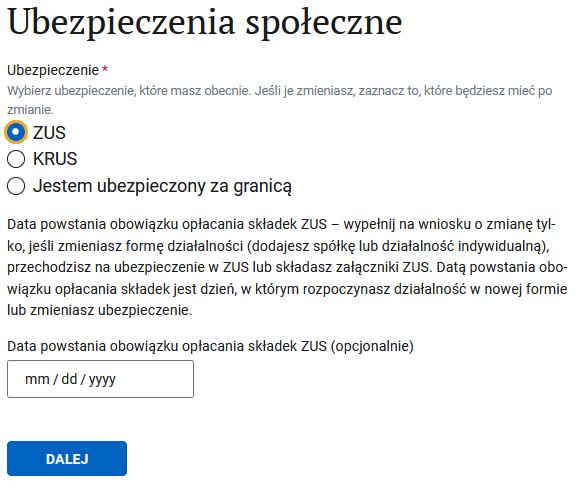
You're still in ZUS. You probably already set the date when you registered with ZUS, so you can leave it.
7. Changing ZUS data
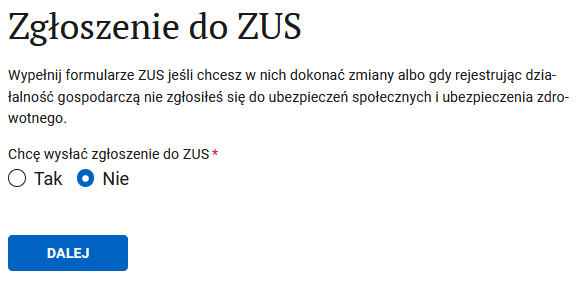
If you don't want to change anything, don't.
8. Tax office
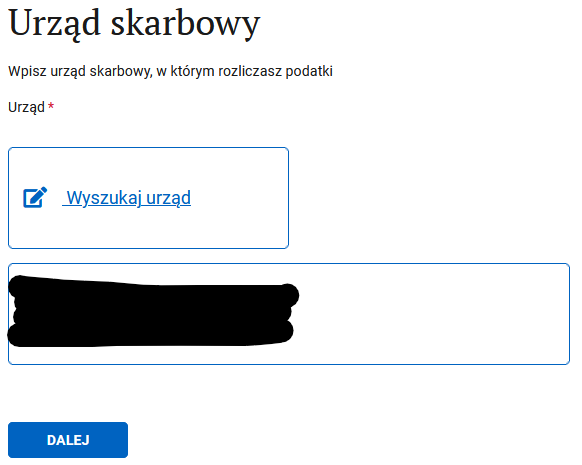
You can switch tax offices if you need to.
9. The actual point of the application
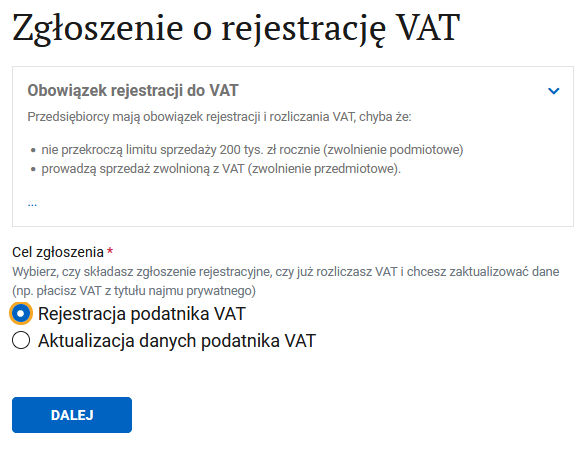
If you haven't been registered yet and want to register as a VAT payer — pick rejestracja. If you have already registered for VAT or VAT-UE — pick aktualizacja.
10. Domestic Polish VAT
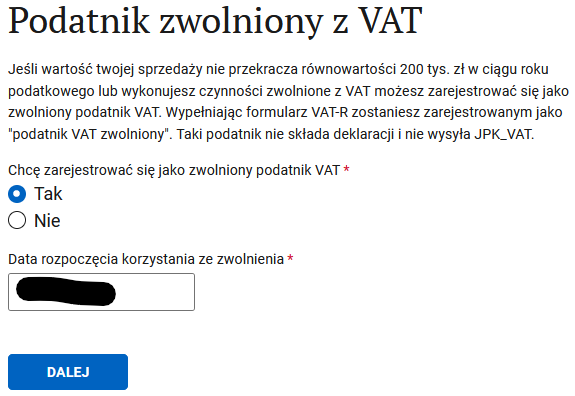
You can register as a Polish VAT taxpayer at the same time as VAT-UE. If you want that or you're already registered as a czynny Polish VAT taxpayer — continue via this link.
If you only want VAT-UE — choose "Tak" to use the Polish VAT exemption. For the date, use the start date of your sole proprietorship.
11. Identification data
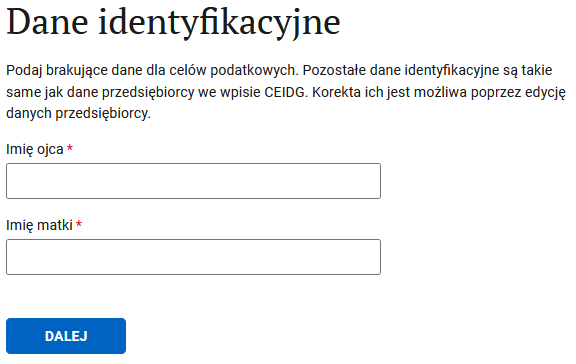
Father's and mother's names. Best if the Latin spelling matches what's in their documents. Just in case.
12. VAT-UE registration
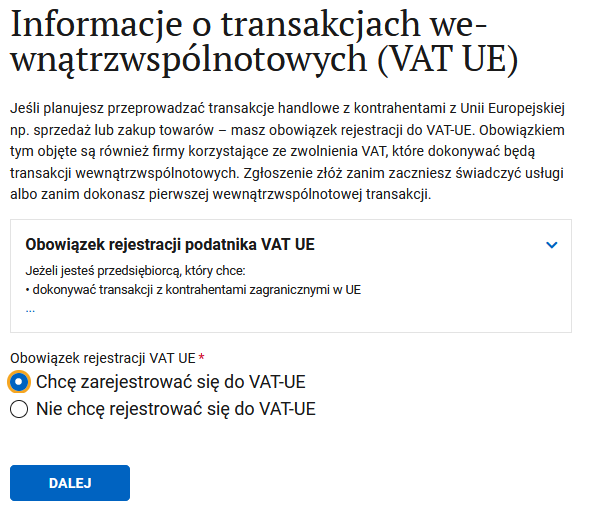
We want to register as a VAT-UE taxpayer.
13. Registering as a VAT UE taxpayer
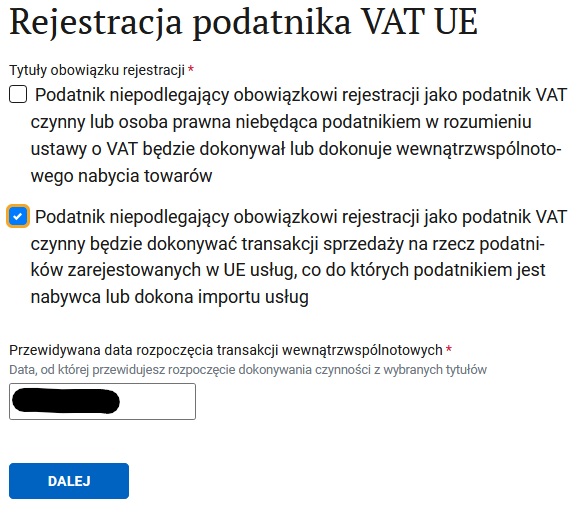
- First checkbox — if you're going to buy or sell goods.
- Second checkbox — if you're going to buy or sell services.
We know we're selling services, so we definitely tick the second one. For buying stuff, apparently you don't have to be registered. So if you're sure you're not exporting goods for sale, one checkbox is enough.
The VAT registration date must be at least one day after you submit the application. Example: if you send it on 28 April, the earliest registration date is 29 April.
14. Applicant information
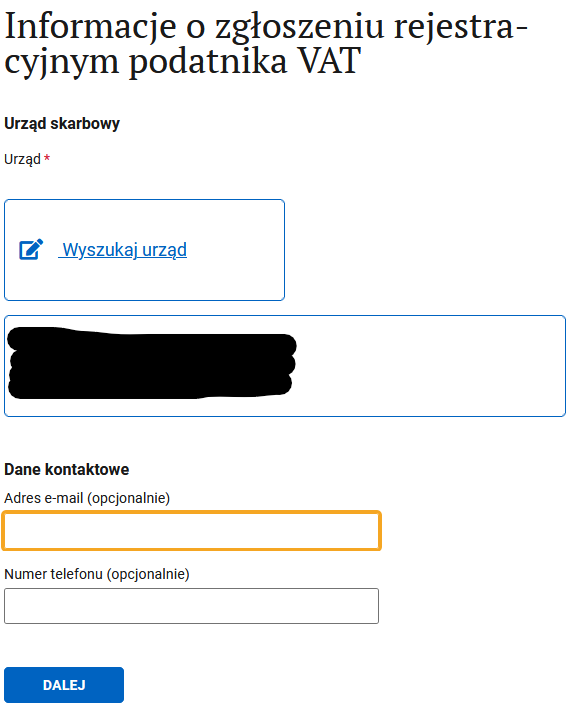
You can pick another tax office and add contact details if you want. Optional — but it can make talking to the office easier.
15. Confirmation of VAT taxpayer registration
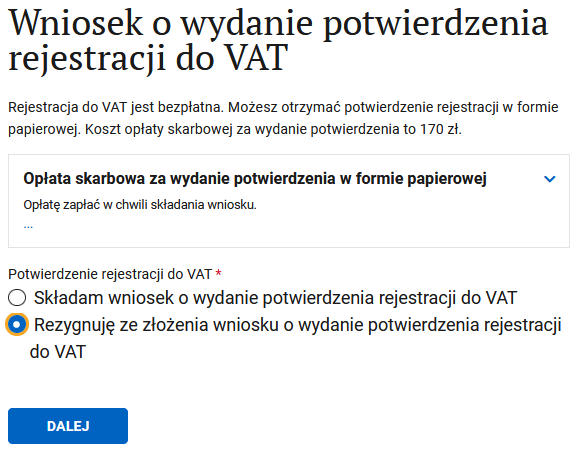
You probably don't need this.
16. Liability warning
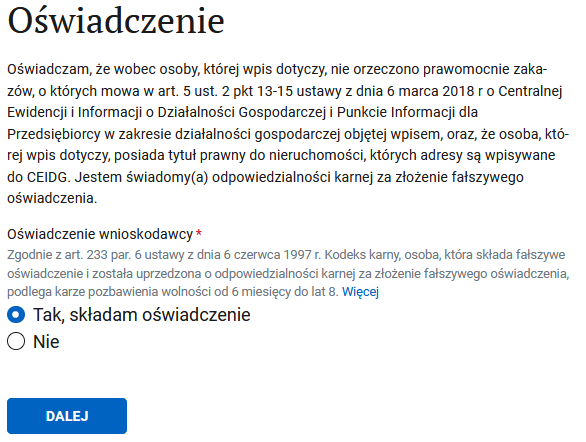
On your own head be it — you confirm you want to file and you're not up to anything shady.
17. Where to get more info
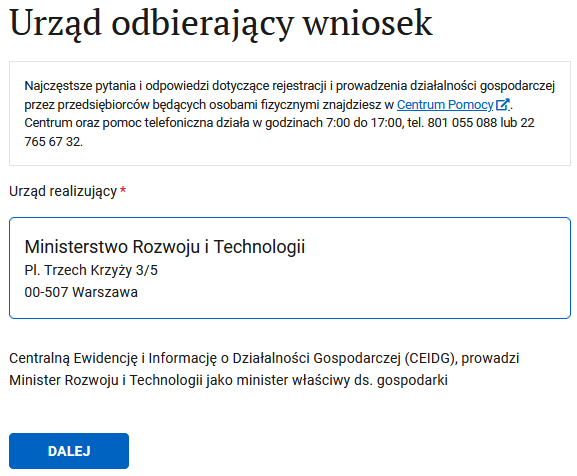
Just hit DALEJ
18. Summary screen
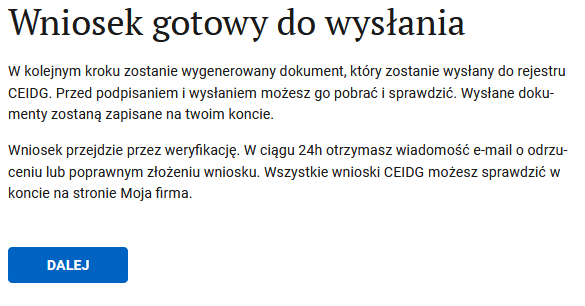
Just hit DALEJ
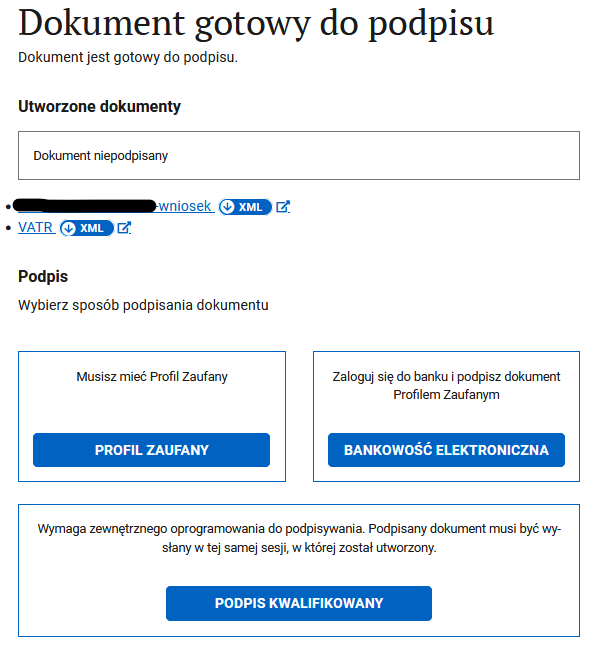
19. Signing documents
Tip
Click the xml links to download the forms for your records.
Pick how you sign. Trusted profile and bank login are basically the same thing. If you set up trusted profile through a bank, you can use bank login.
20. Sending documents
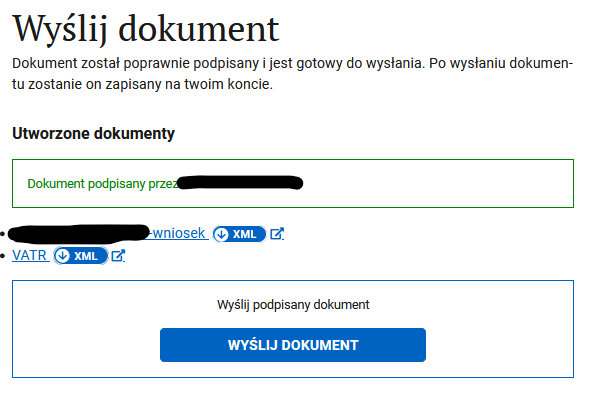
After a quick sign-and-send, you're done.
21. Speeding up VAT-UE registration
Tip
This step isn't mandatory, but it can shave a bit of time off the process. Same idea as for domestic VAT registration.
22. Wrap-up
Then you wait for a letter from CEIDG saying the application is fine and accepted/registered (or that something needs fixing). Within about a month you'll get a paper letter from the tax office with your VAT-UE number (or a request for more info — especially if you don't have a fixed place of business). You can spot the number a bit earlier than the paper letter on this site.
VAT-UE number is your NIP with a PL prefix. Shows up a couple of weeks after filing, or a week+ after you answer the tax office's requests.
There's also a Telegram bot you can use to track your registration.
Support our guide with a cup of coffee ♥