How to send a general letter to the tax office (Pismo ogólne do Urzędu Skarbowego)
Pismo ogólne do Urzędu Skarbowego
This is a general type of letter sent to the Polish tax office (Urząd Skarbowy) when there's no dedicated form for your request, statement, or explanation.
You can use it for:
- requesting information
- explaining a situation (e.g. reasons for a late tax return filing)
- clarifying tax obligations
- attaching documents
- notifications (e.g. about an error in your tax return)
- questions or requests not covered by standard forms
How to send it via the e-Urząd Skarbowy platform
e-Urząd Skarbowy is a secure, identity-verified communication channel with the tax office. When you log in via Profil Zaufany, mObywatel, or e-dowód, you're already authenticated. Everything sent through this portal is legally binding and considered signed.
Steps:
- log in to your account at e-urzad-skarbowy via Profil Zaufany
- go to
Dokumenty -> Złóż dokumentand typepismoin the search field -> selectPismo ogólne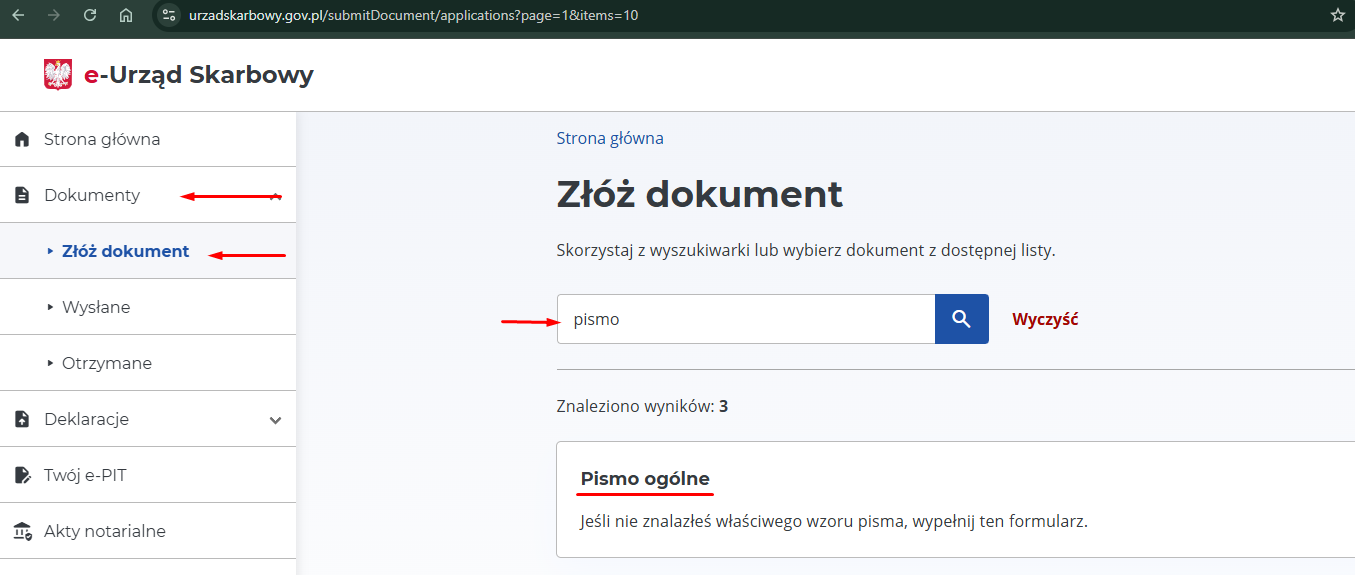
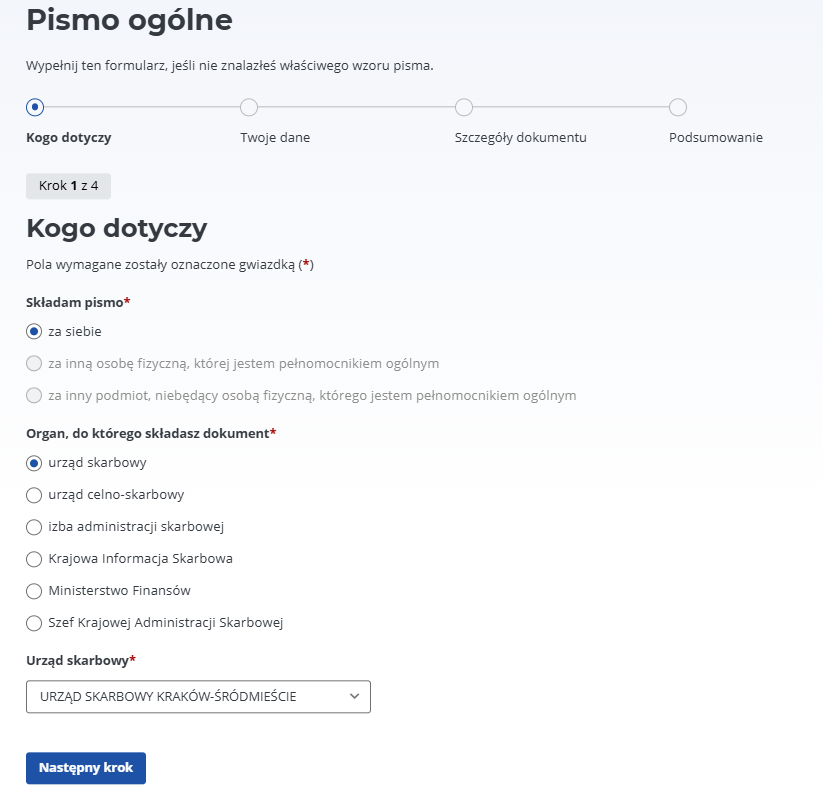
- choose that you're writing the letter on your own behalf. A section with your pre-selected Urząd Skarbowy opens automatically. (if you need to write to a different office, pick it from the list)
-
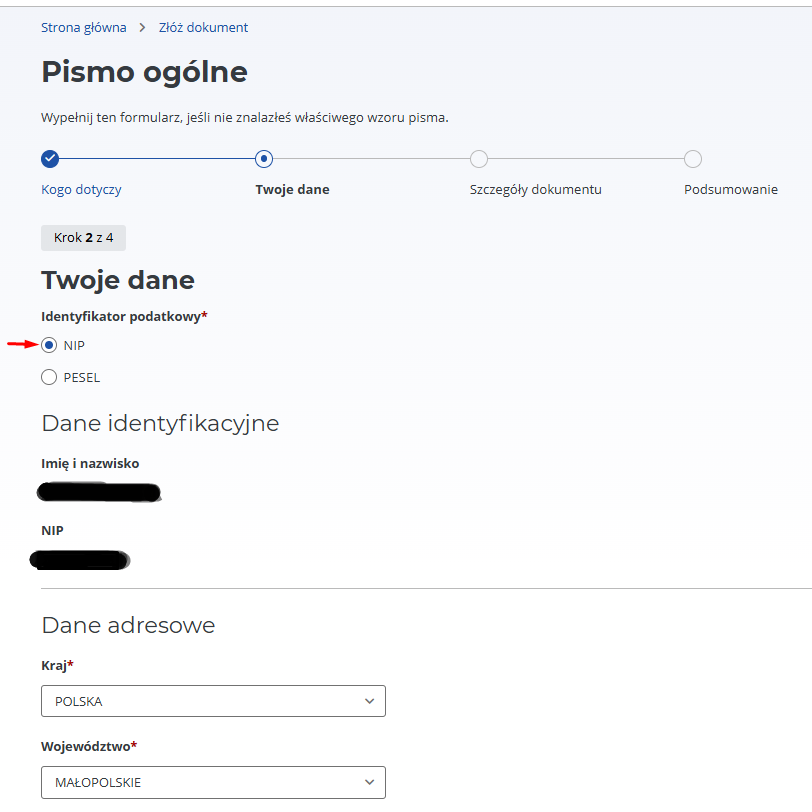
your personal data will be pulled in automatically. If you're writing as a sole trader, select NIP. If as a private individual, select PESEL.
-
Szczegóły dokumentu:- choose a
Rodzaj pismafrom the available options. In our case, to speed up VAT registration we want to submit anOświadczenie Temat pisma: O braku stałego miejsca wykonywania działalności gospodarczej (as an example)Zakres sprawy: VAT- you can use the letter text from above (letter + statement). The difference here is that you don't need to attach it as a scan — just type the text directly into this field.
Pismo dotyczy sprawy, którą już zajmuje się urząd-> selectTakand enter the case number you received when you submitted the VAT registration application.- in the
Załącznikisection, attach your scans: the apartment rental agreement.
- choose a
- at the
Podsumowaniestep you can review where the letter is being sent, sender details, and letter details. If needed, you can click edit and fix whatever's required. - click
Akceptuj i wyślijto send the letter
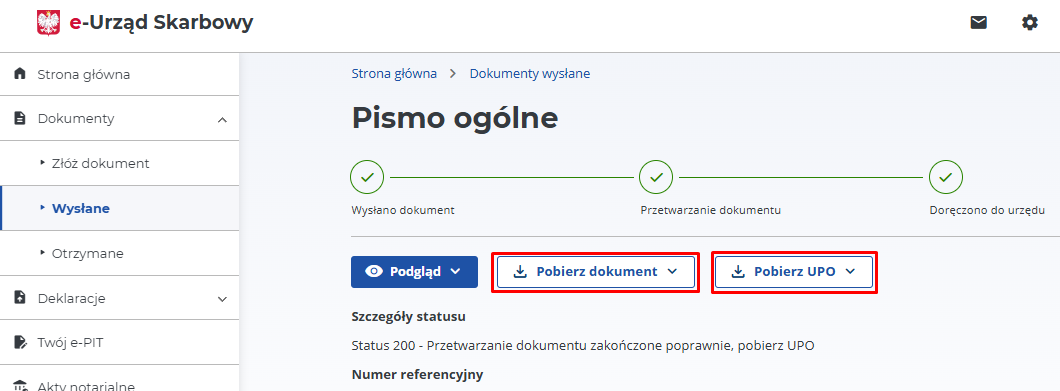
If you go to Dokumenty -> Wysłane, you can see all sent letters and view them by clicking Więcej
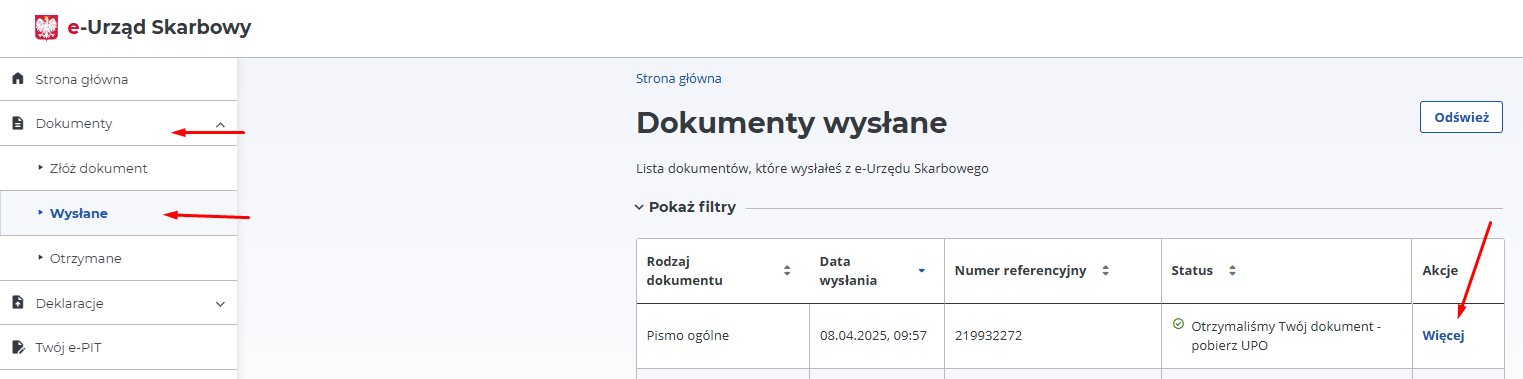
Here you can download your letter and the delivery confirmation in PDF format.