Initial setup
Before you start working with infakt, you need to do some minimal account configuration. Go to Ustawienia

Enter your NIP number and infakt will pull your sole proprietorship details from the registry.
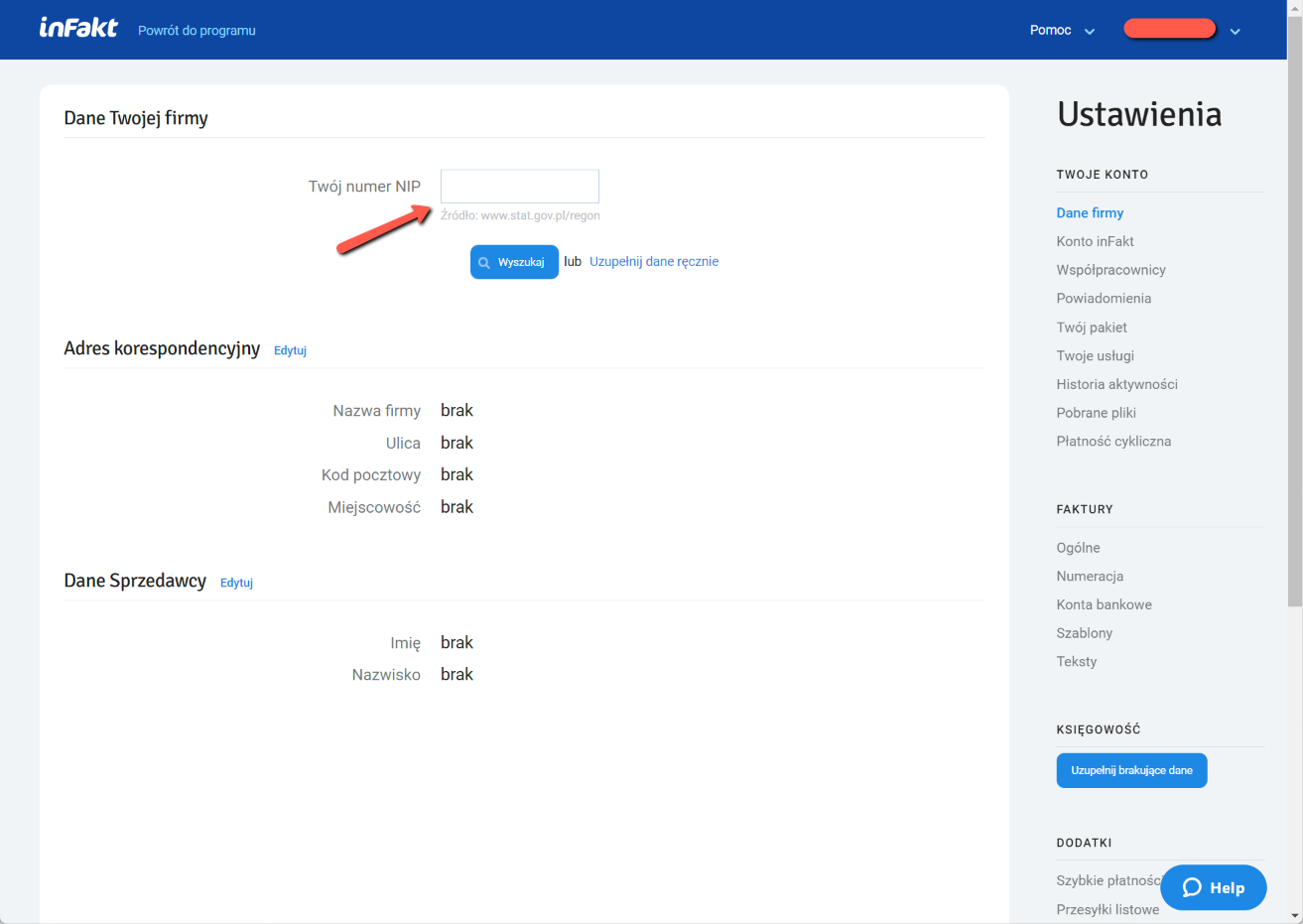
Fill in the missing fields, also fill in the correspondence address (Adres korespondencyjny) and your "seller" details (Dane Sprzedawcy).
Activating the accounting module (free)
To activate the accounting module, open the Księgowość tab on the main screen. Check your details and confirm your phone number. Then pick an advisor/consultant from the list for your region.
After activation, infakt will ask for missing data needed for accounting. Check the registration data at the top of the page, fill in address fields and your PESEL number, then at the bottom select your tax and VAT accounting system (enter your details).
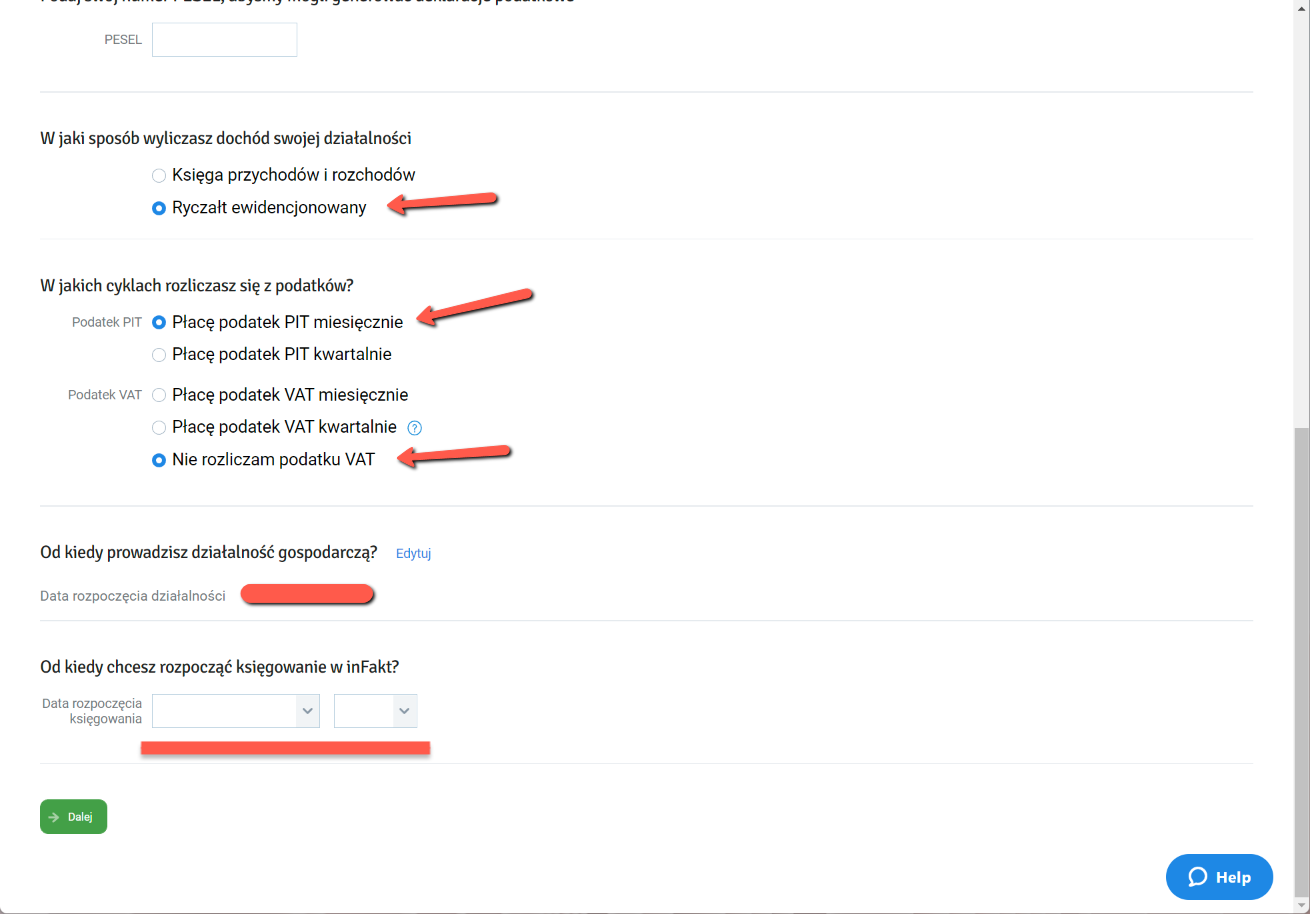
Most IT folks use Ryczałt ewidencjonowany as their accounting system and monthly PIT payments (Płacę podatek PIT miesięcznie). Specify from which month you plan to keep records in infakt — this almost always matches the month you started your business activity.
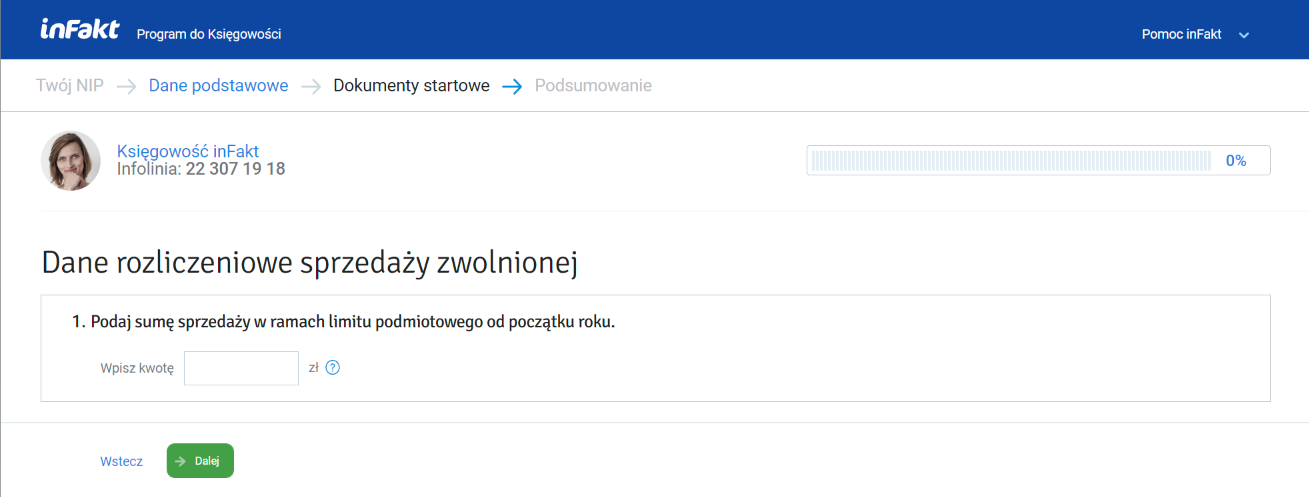
On the next page, enter your income amount from the beginning of the year that is exempt from VAT (TODO: VAT payers, please explain this section)
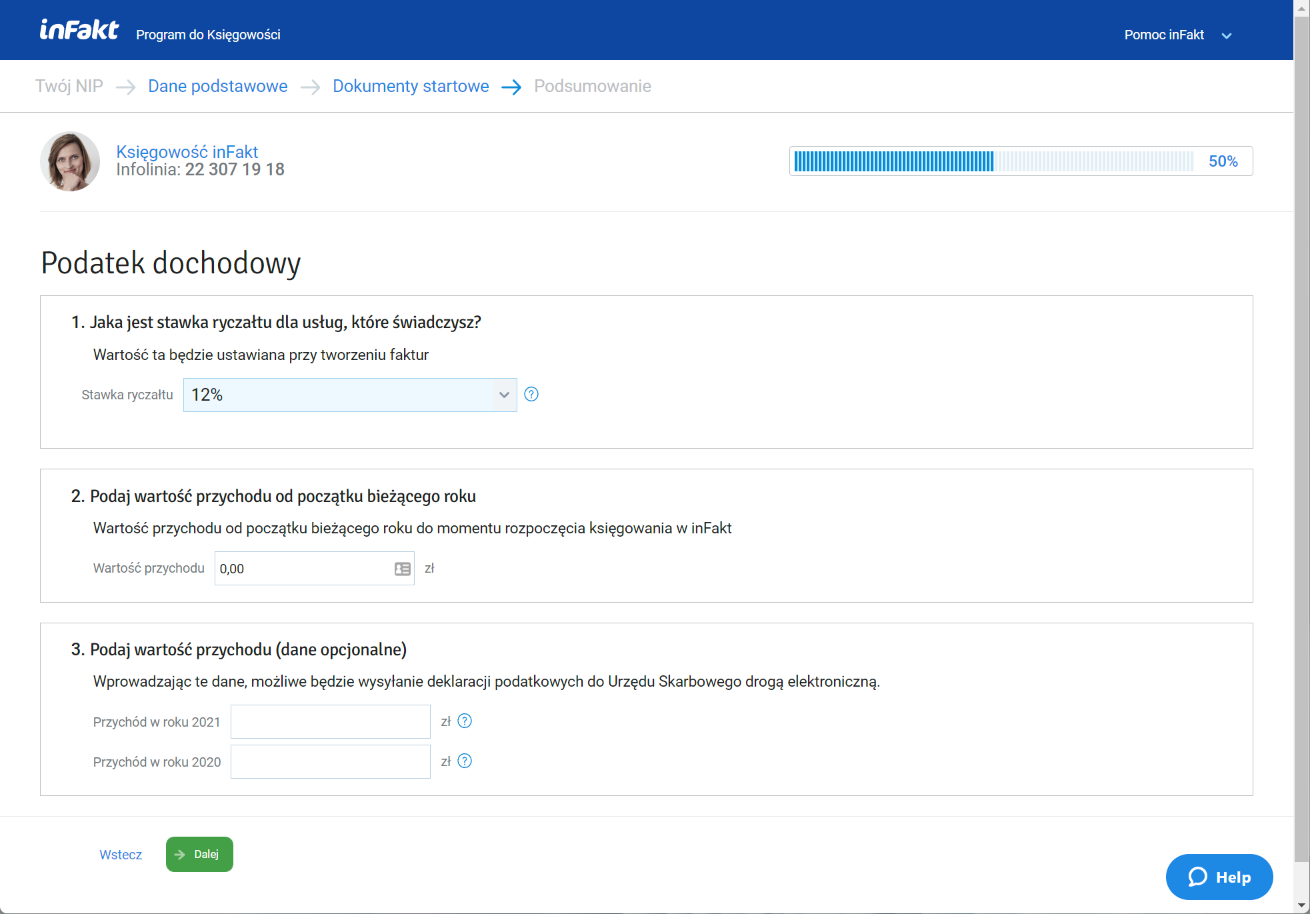
Next, configure your tax rate and invoice totals from the beginning of the year, if you previously kept books somewhere else besides infakt.
At this point the setup is mostly done. When you visit the Księgowość page, infakt will still ask a few more things about VAT settings, your tax account number, etc. Just save that information as you go.
ZUS settings
The next step is configuring your ZUS parameters. Go to Księgowość -> Składki ZUS, or in settings Ustawienia -> Księgowość -> ZUS (until the setup is complete, you'll see the Uzupełnij brakujące dane button).
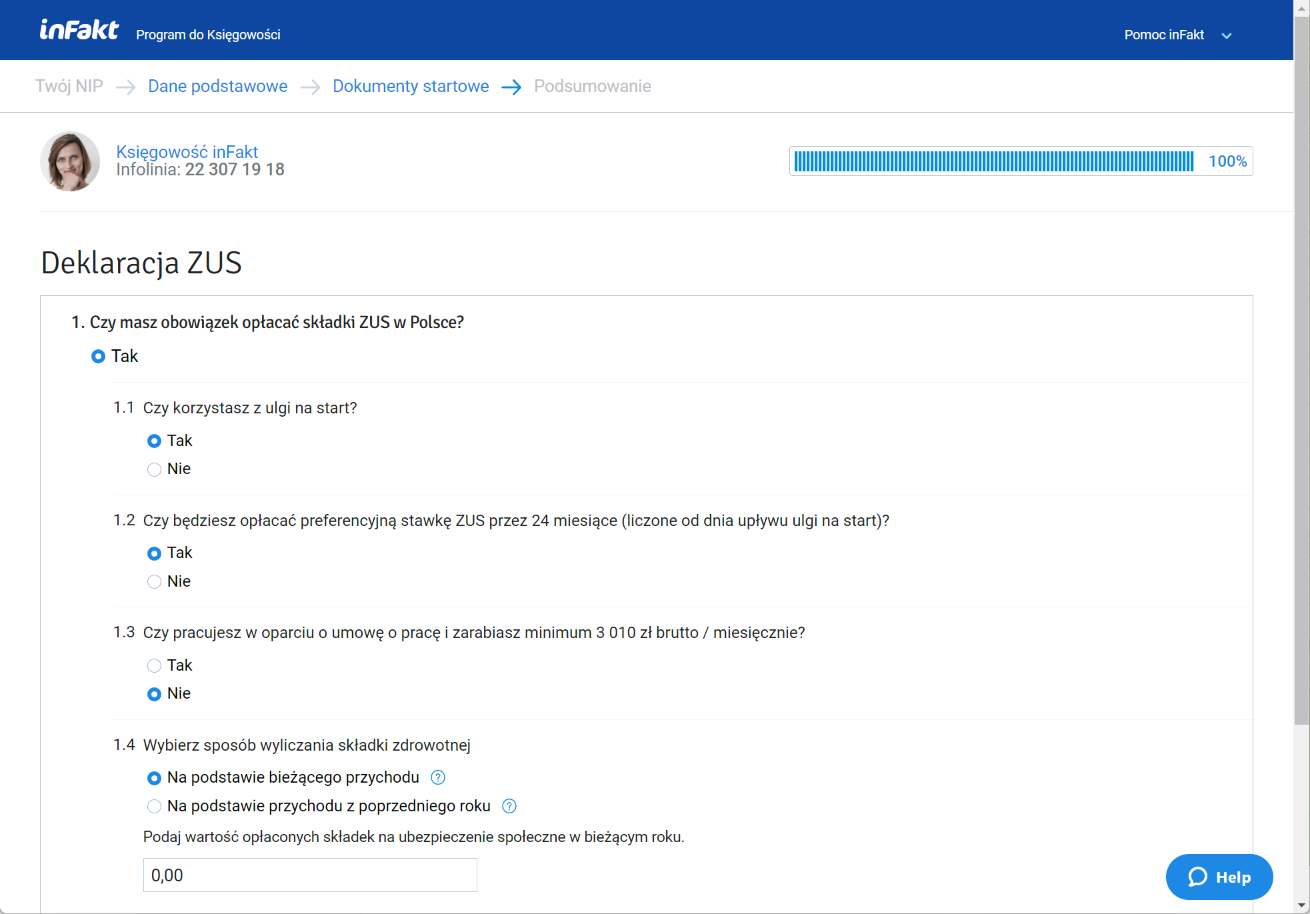
Choose your settings. Typical settings for beginners:
- Czy korzystasz z ulgi na start? Tak
- Preferencyjna stawka ZUS przez 24 miesiące działalności Tak
- Sposób wyliczania składki zdrowotnej Na podstawie bieżącego przychodu
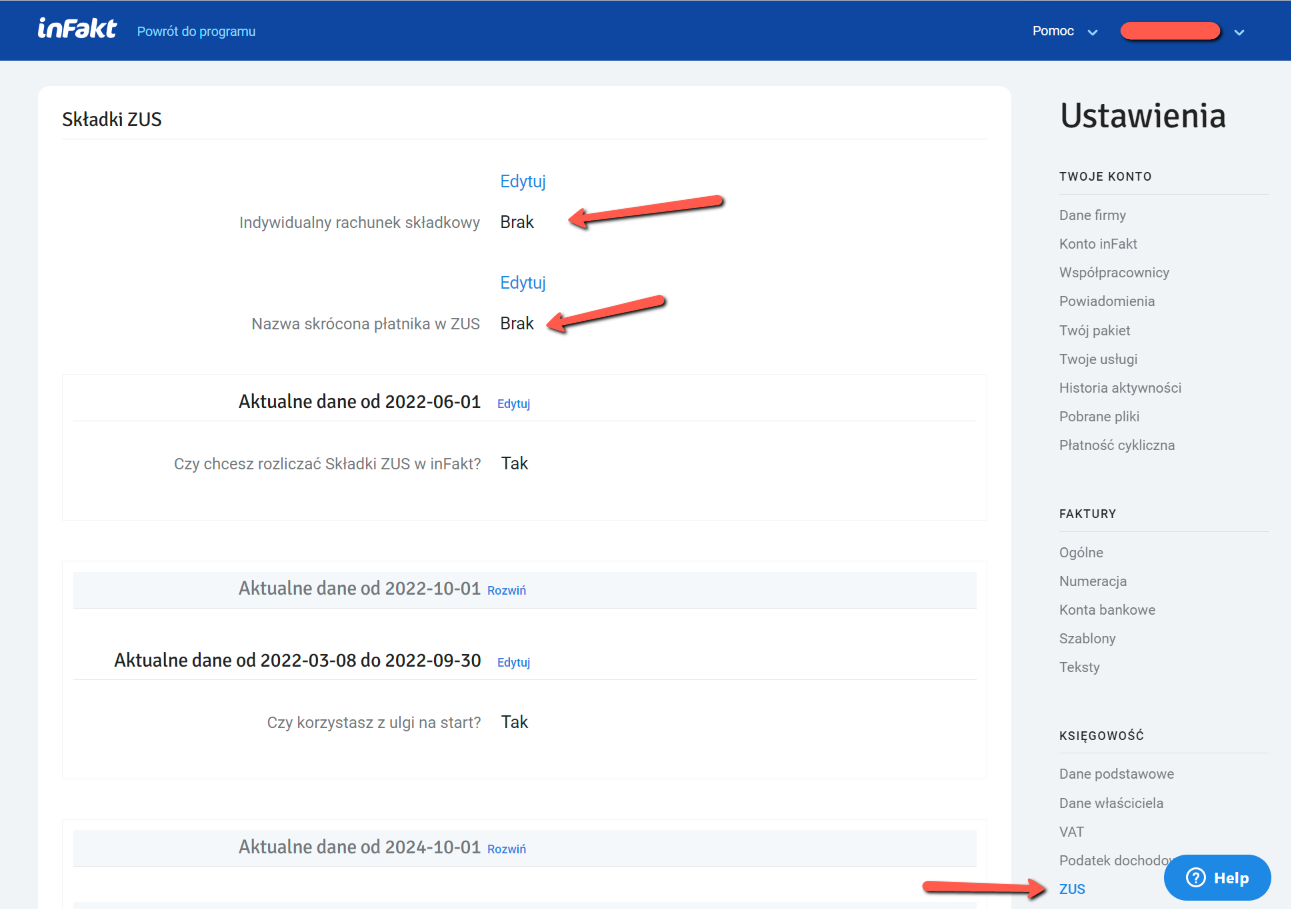
If you plan to pay your ZUS contributions through infakt, it makes sense to also add your ZUS account number. Enter it in the Indywidualny rachunek składkowy field. You can find the account number in the letter ZUS sends after registration, or on the portal itself at ZUS -> Panel Płatnika -> Moje dane -> Numery rachunków składkowych
Invoice settings
Go to Ustawienia -> Faktury -> Ogólne to configure some default values for your invoices.
The main settings that affect invoice content are Domyślna waluta (pick the one you use most often) and Domyślny sposób płatności (most commonly Przelew — bank transfer).
TODO: add VAT-specific settings
Setting up services
Add a product (in our case — a service) on the Przychody -> Produkty -> Nowy Produkt page.
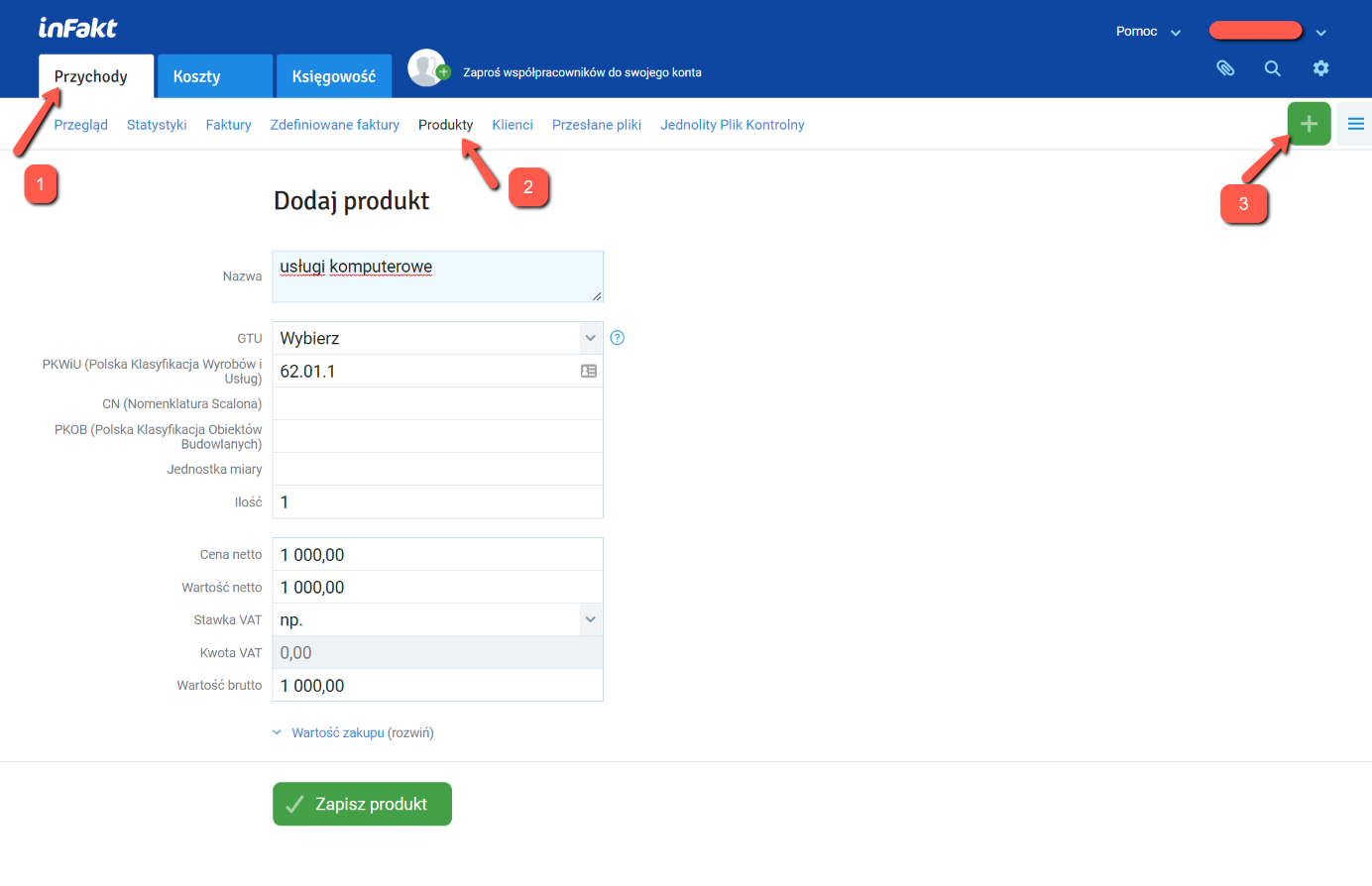
Typical options for programmers:
- usługi komputerowe
- Tworzenie oprogramowania
- usługi oprogramowania
It's important to pick something that matches your line of work and your PKWiU code. Depending on your contract, you may have a fixed monthly amount or an hourly rate. Enter Cena netto = your rate (per month or per hour).
The VAT rate depends on who you provide the service to (if you are not a VAT payer):
- service within Poland —
zw.After selecting it, a selector will appear for choosing the exemption basis, usually zwolnienie podmiotowe. - contractor in another EU country —
np.with the annotation art. 28b (the place of supply is the contractor's country). - contractor outside the EU (e.g. the US or Canada) —
np.
If you are a VAT payer, for services within Poland you specify your VAT rate (usually 23%) instead of zw.
Choose your Ryczałt rate for this service. The rate must match the PKWiU code. For programmers it's 12%.
Setting up contractors
Add your client(s) on the Przychody -> Produkty -> Nowy Klient page.
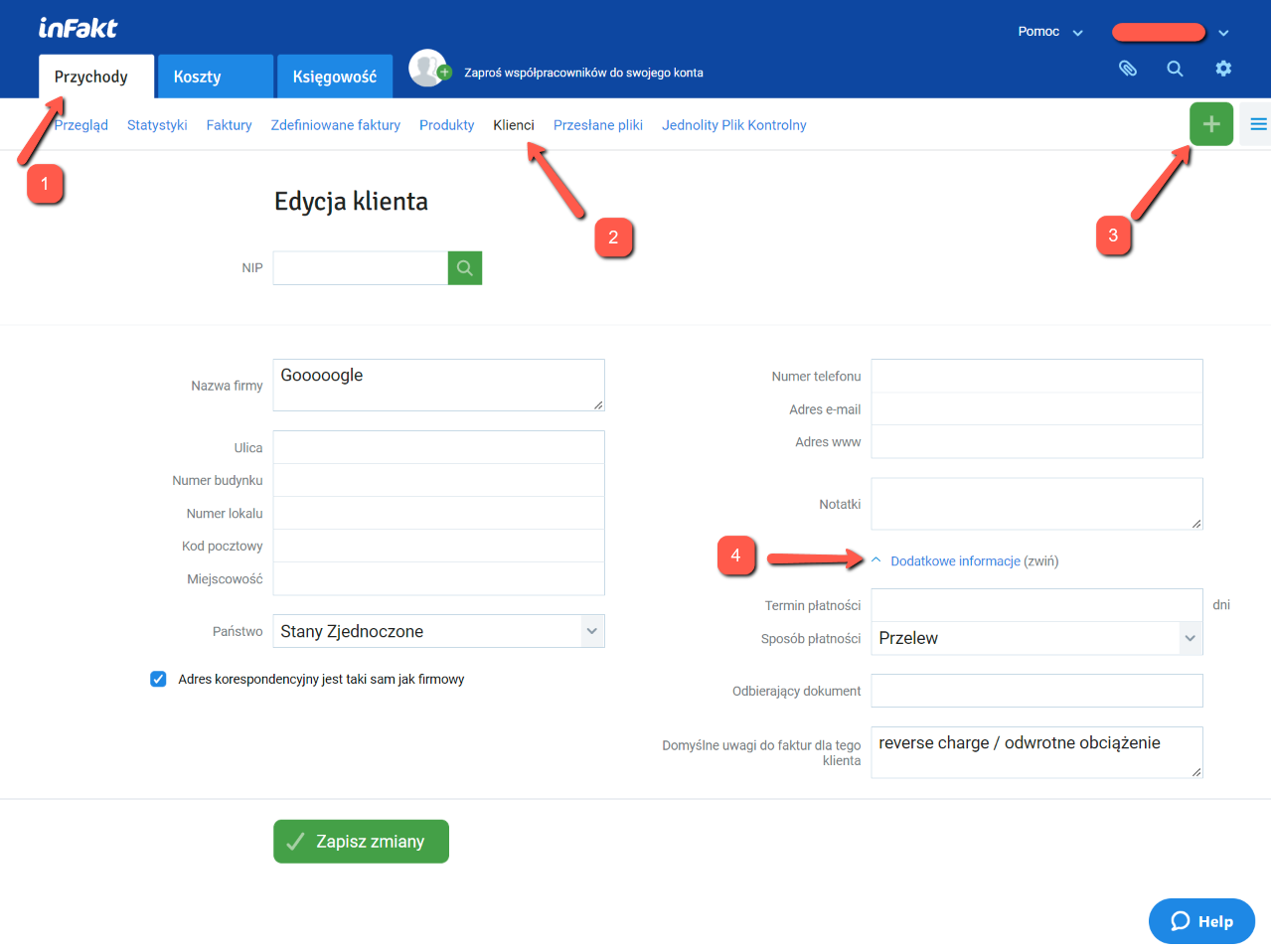
Search by NIP number or enter the details manually if the client is outside Poland, then save. If the client is outside the EU, it makes sense to save a comment for them in the Domyślne uwagi do faktur dla tego klienta field:
Reverse charge - VAT is charged to the buyer. Do rozliczenia podatku VAT zobowiązany jest nabywca usługi (odwrotne obciążenie).
You can also configure payment method and terms for this client (if that matters to you). At the very least, it's worth setting the Sposób płatności (because it can get mixed up between different invoices with different payment types).
Add as many contractors as you need.
Setting up bank accounts
Add your bank account on the Ustawienia -> Faktury -> Konta bankowe page.
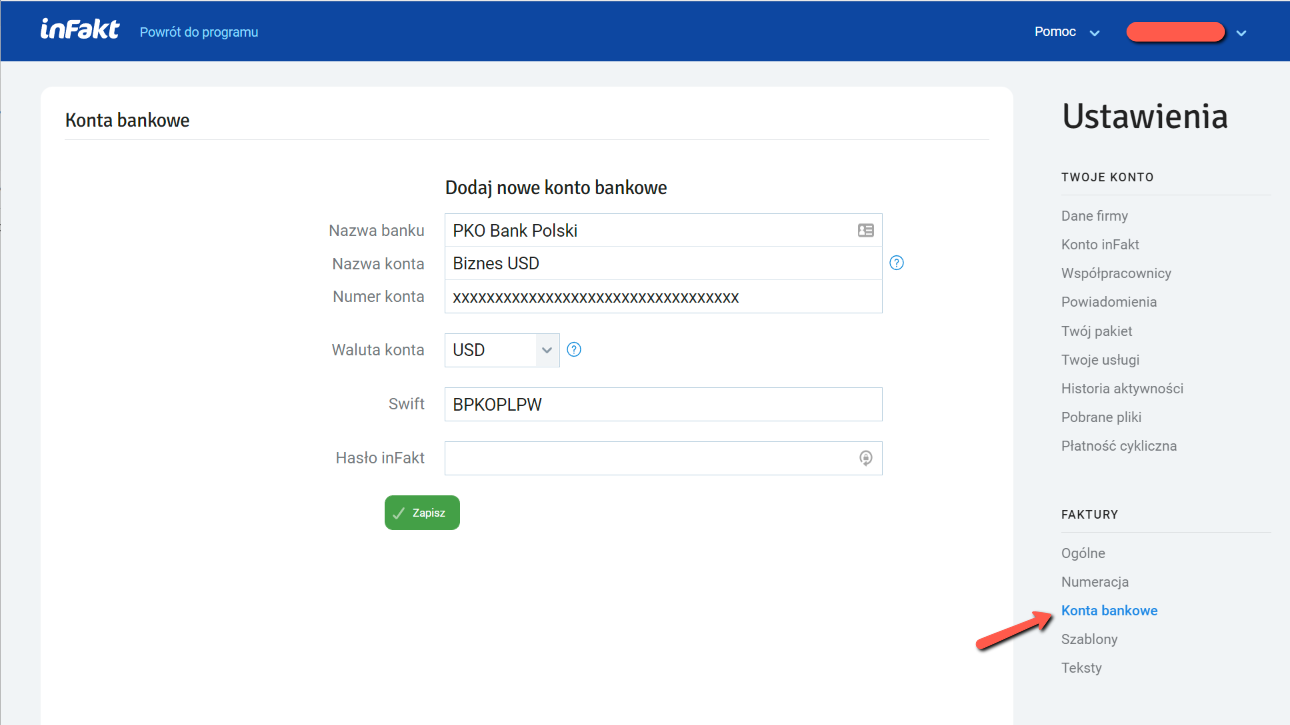
This account will appear on the invoice for the client.
If you have more than one account, the default one (Konto domyślne) will be shown on the invoice. You can switch it when creating an invoice.
Invoice signature
Go to the invoice template settings at Ustawienia -> Faktury -> Szablony
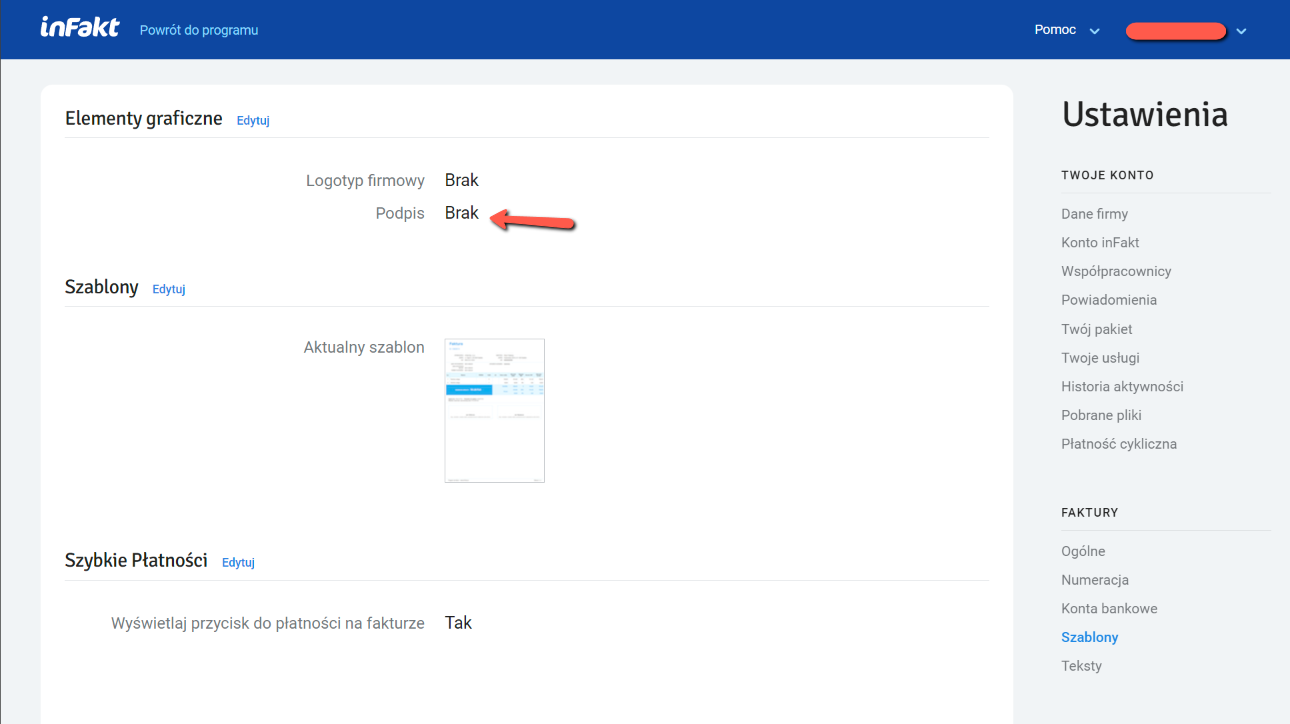
Here you can add an image of your signature and your company logo, as well as play around with the invoice templates (infakt offers a selection).
The signature image should have an aspect ratio of roughly 3:1 (I used an image of approximately 960x360).
Miscellaneous
If you're going to use infakt to send invoices to your clients, you can configure email texts in English and Polish. Go to Ustawienia -> Faktury -> Teksty and edit the email templates.
Support our guide with a cup of coffee ♥