ZUS Reports
A JDG acts in several roles: as a contribution payer (płatnik) and as an insured person (ubezpieczony).
ZUS DRA
Since 2022, with the introduction of Polski Ład, entrepreneurs are required to submit a ZUS DRA declaration for themselves every month.
-
Go to the ePłatnik tab. (if the tab is missing, you need to activate it following the guide)

-
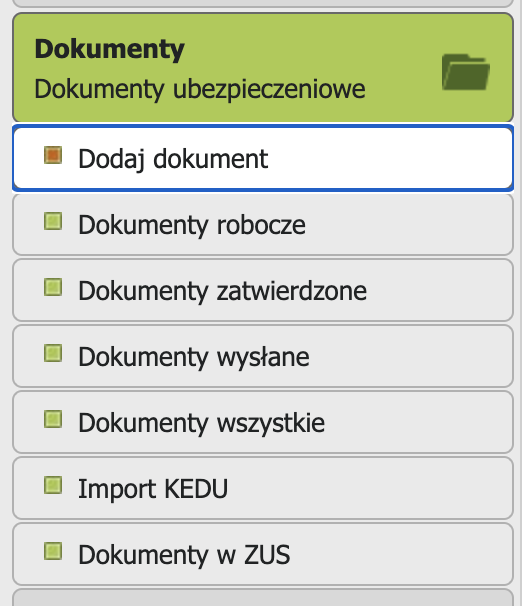
In the Dokumenty menu, select Dodaj dokument
-
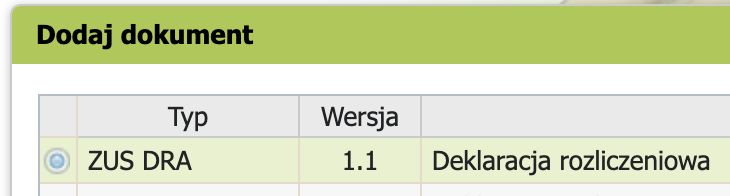
In the window that opens, pick ZUS DRA from the big list of declarations and click Wybierz -> Przejdz do kreatora.
-
Admire your personal data and hit Dalej.
- Nowy komplet rozliczeniowy -> Dalej.
-
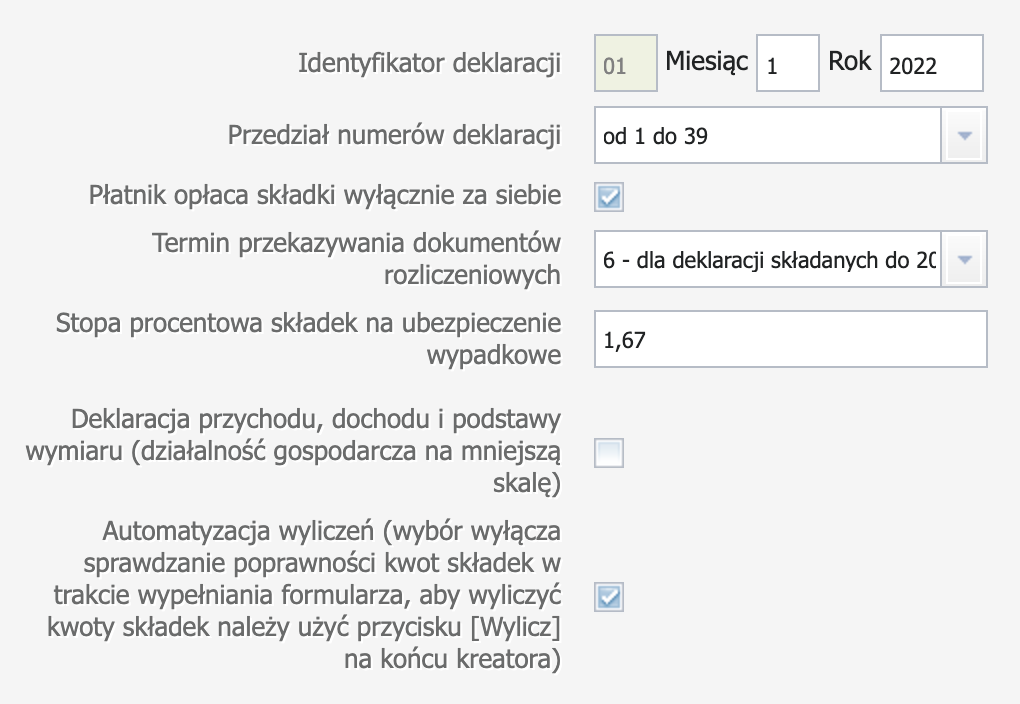
On the next step, select the year and the month you need, check the box confirming you're paying ZUS for yourself, and in the dropdown pick declaration type 6 — due by the 20th. If you're on Ulga na start, leave the field "Stopa procentowa składek na ubezpieczenie wypadkowe" empty. Otherwise, enter 1.67. Hit Dalej. If you're using Ulga na start, just agree to the message about not specifying the accident insurance rate. You don't need it.
-
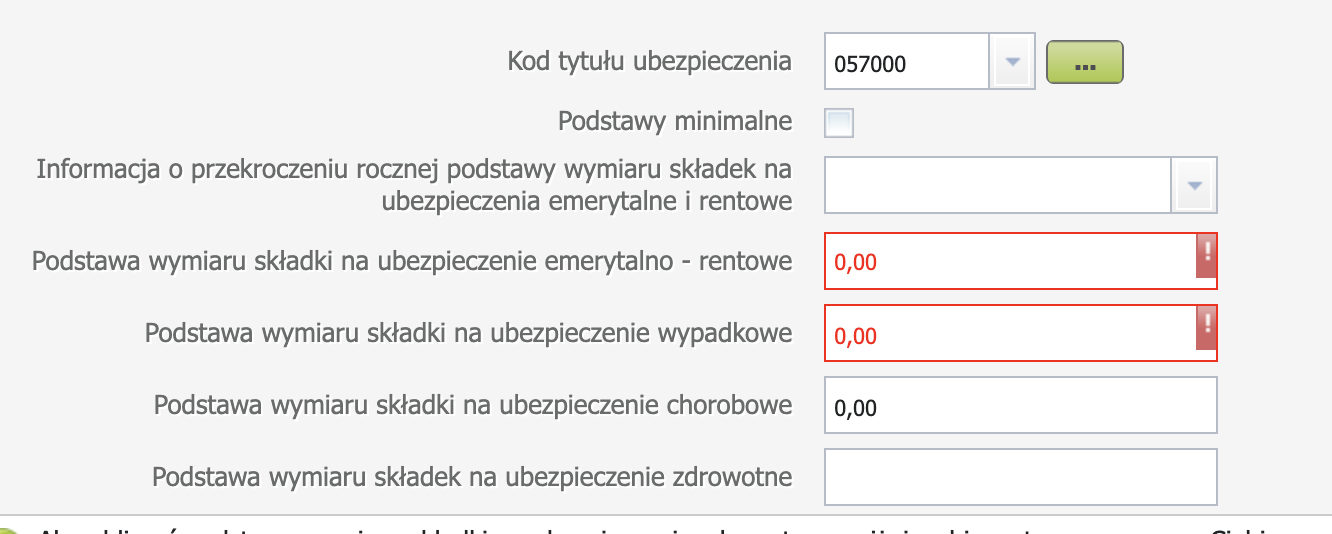
Since 2022, ZUS on ryczałt depends on your income. So on this step you need to enter your income for the current or previous year. If you're on Ulga na start, the Kod tytułu ubezpieczenia is 054000; if you're on preferencyjny ZUS (after six months of Ulga na start), it's 057000.
A bit further down the page, find the form "Forma opodatkowania obowiązująca w danym miesiącu oraz przychód i dochód z działalności gospodarczej dla celów wyliczenia składki miesięcznej na ubezpieczenie zdrowotne" and select your taxation form. I'll use ryczałt as an example.
There are two ways to calculate the health contribution: based on income from the current year or the previous year. If you didn't run a business last year, you can only calculate based on the current year. I'll use the current year as an example.
Note: you fill in either the current year field or the previous year field. If you fill in both, you'll get an error. Enter your total income from the start of the year through the end of the month you're filing for (before taxes, excluding VAT). So if you're filing in August for July, enter your income from the start of the year through July 31.
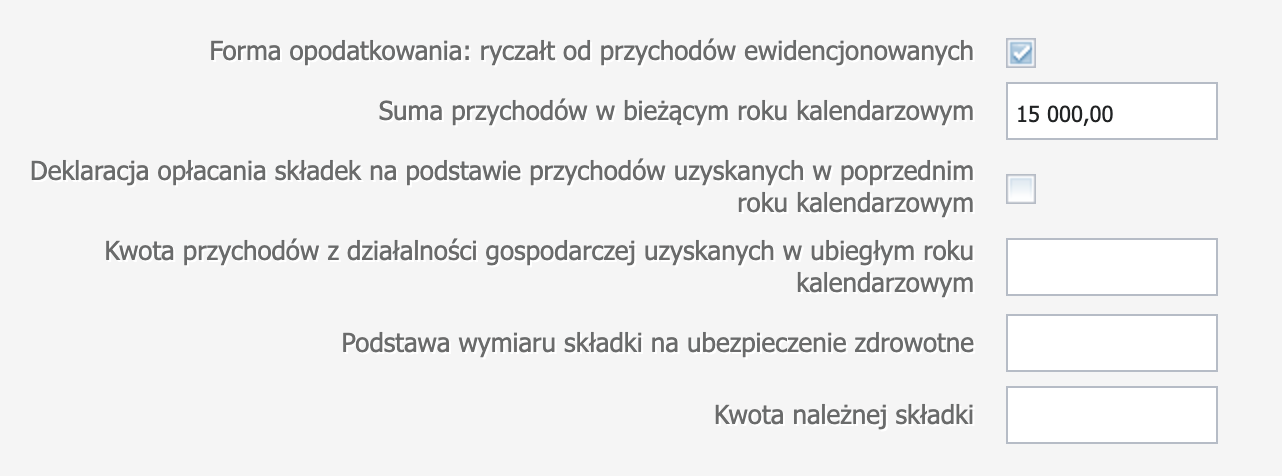
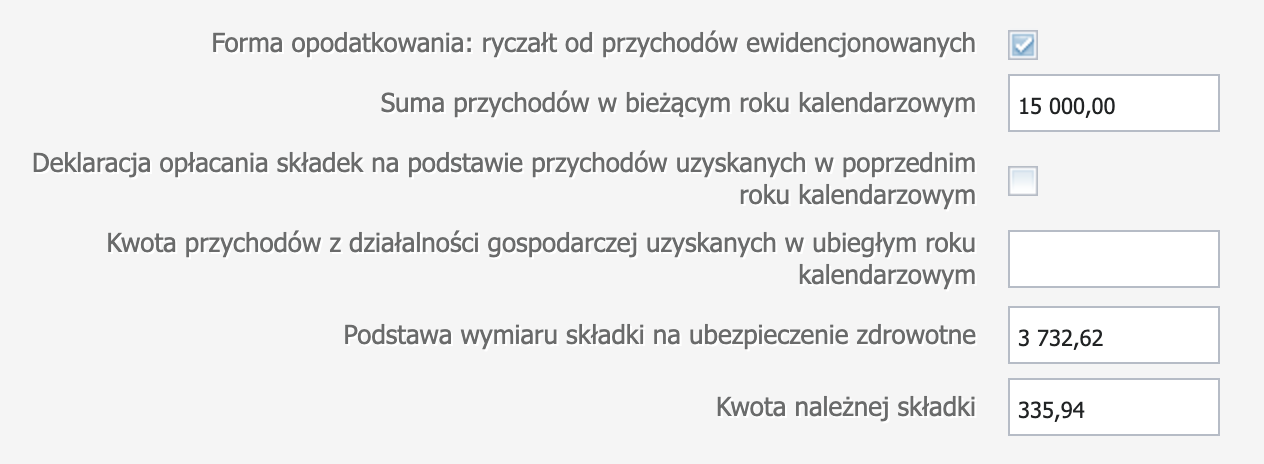
Now scroll all the way down and hit the Oblicz button — the site will calculate the basis for your health contribution.
All that's left is to scroll back up and check the "Podstawy minimalne" box in the first form to calculate all contributions.
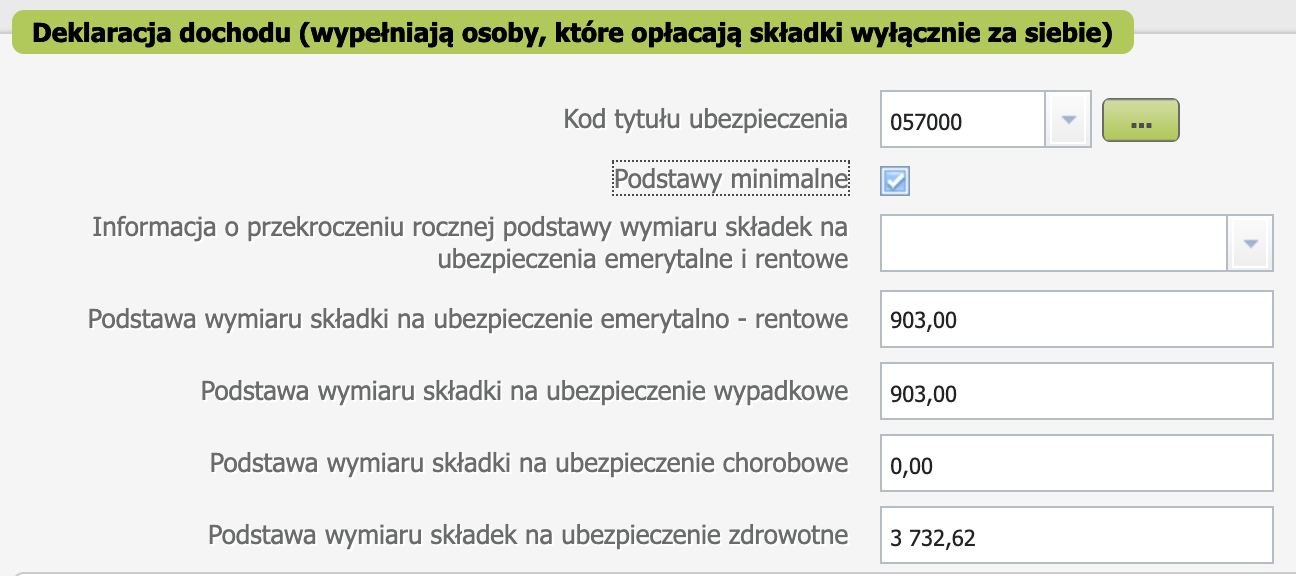
Hit Dalej. The site will ask if you want to pay into the Fundusz pracy. You can decline.
-
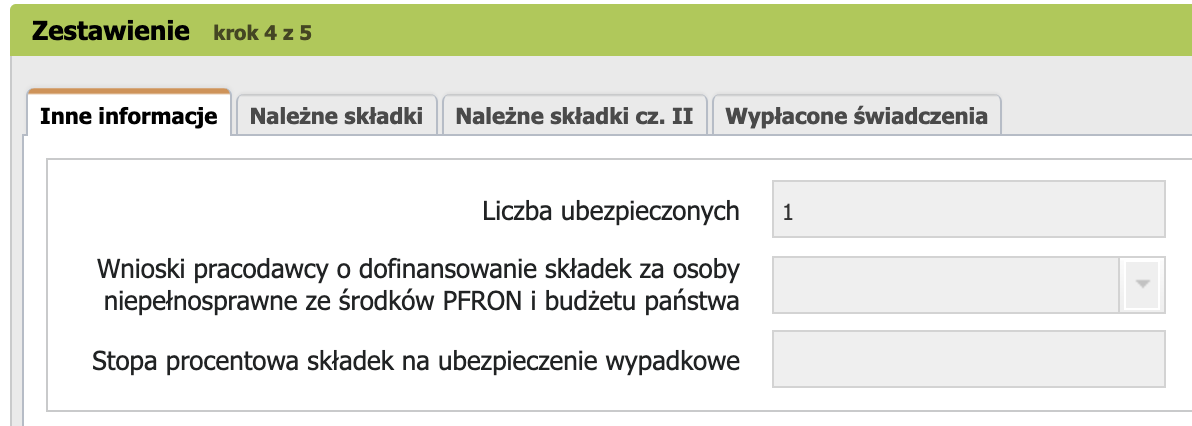
On the next screen, don't change anything, even if your family members are listed in your ZUS. Dalej.
-
Now you can preview the result using the Podgląd button. The amount to pay is on the second page in section IX, field 02. Kwota do zapłaty. Make sure it's correct.
-
Sign the declaration with your profil zaufany and submit it using the Weryfikuj and Wyślij i zakończ buttons.

You can find your submitted declarations on the Dokumenty -> Dokumenty wysłane page.
Korekta (correction)
A korekta of ZUS DRA is the same ZUS DRA, just version 2 (correction type) instead of 1 (initial filing).
- Official general instructions in Polish from ZUS
- Instructions for inFakt users in Polish